Gcloud Load Balancing
Load Balancing
Overview
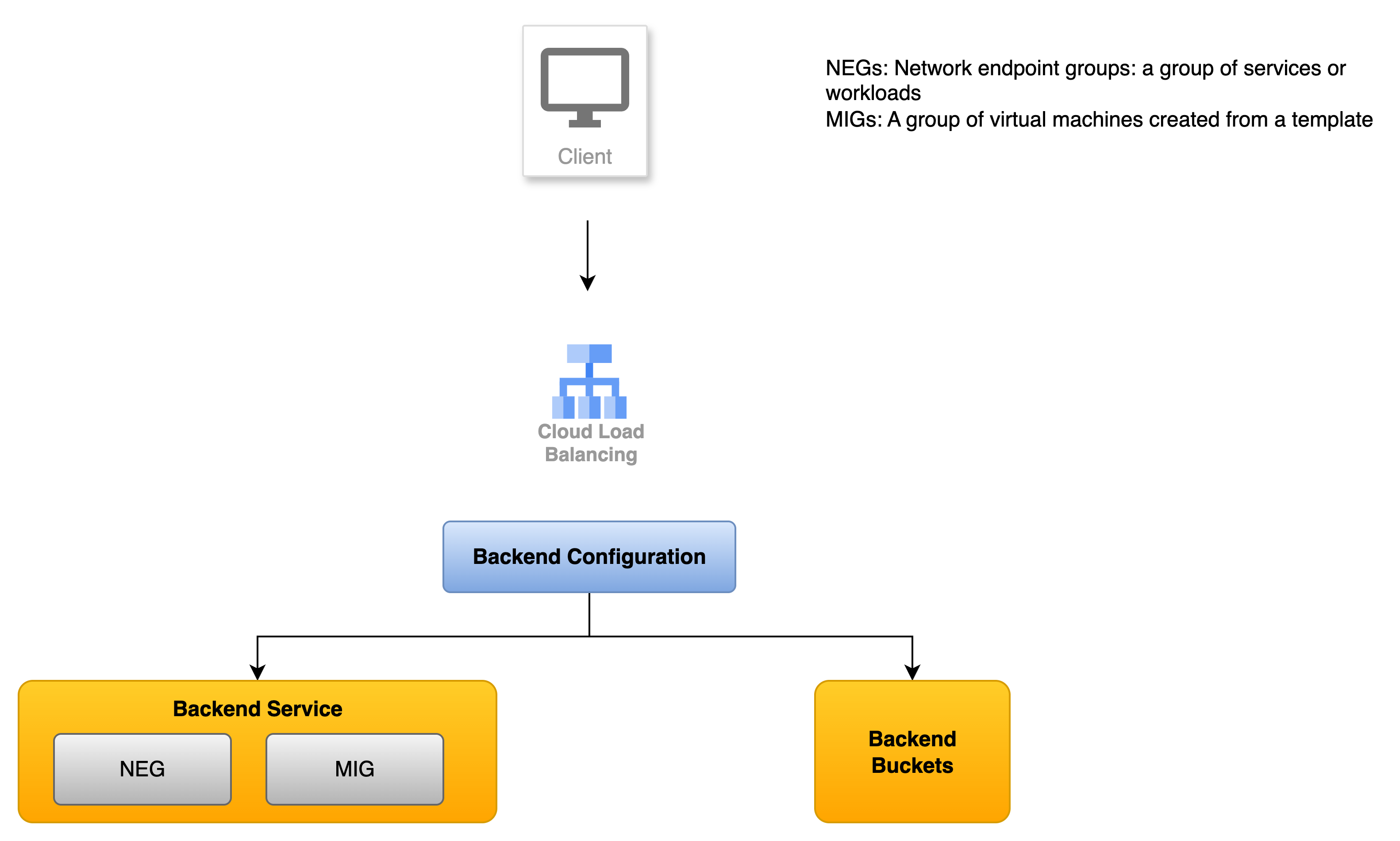
- Cloud Load Balancing receives client traffic
- The backend can be backend service or a backend bucket
Backend configuration defines:
- How traffic is distributed.
- Which health check to use.
- If session affinity is use.
- Which other services are used (such as Cloud CDN or Identity Aware Proxy)
Cloud Load Balancing can route traffic to:
- Backend services: Managed instance groups, Network endpoint groups, Cloud Storage backend buckets
Types of load balancers
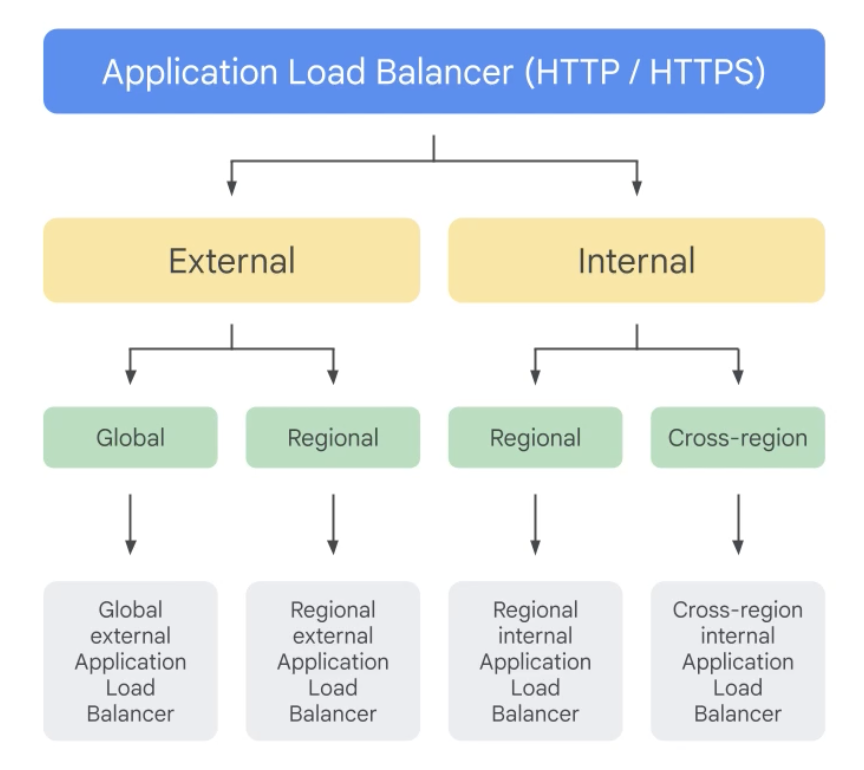
Application Load Balancer (HTTP / HTTPS)
Works as reverse proxy
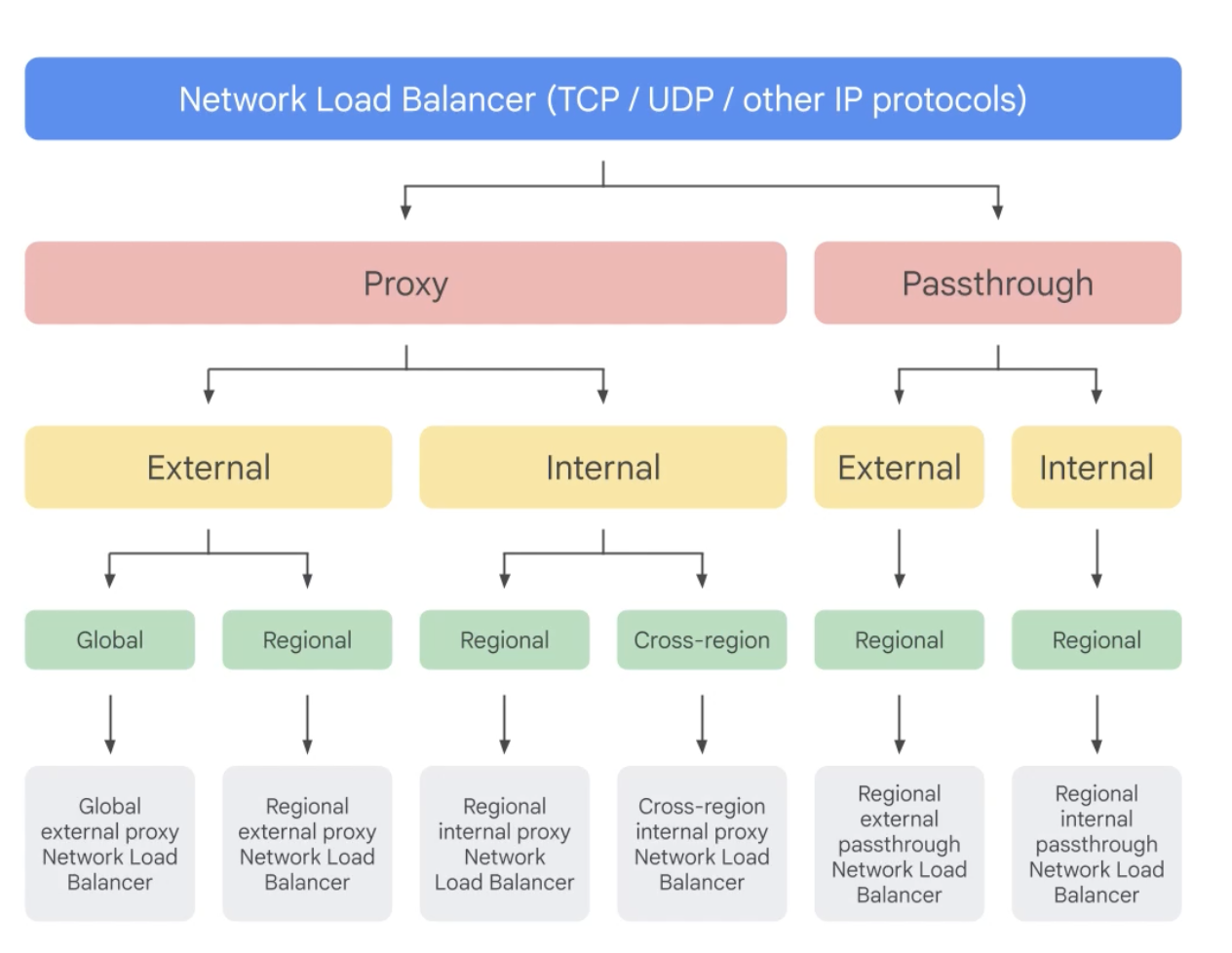
Network Load Balancer (TCP/UDP/ other IP protocols)
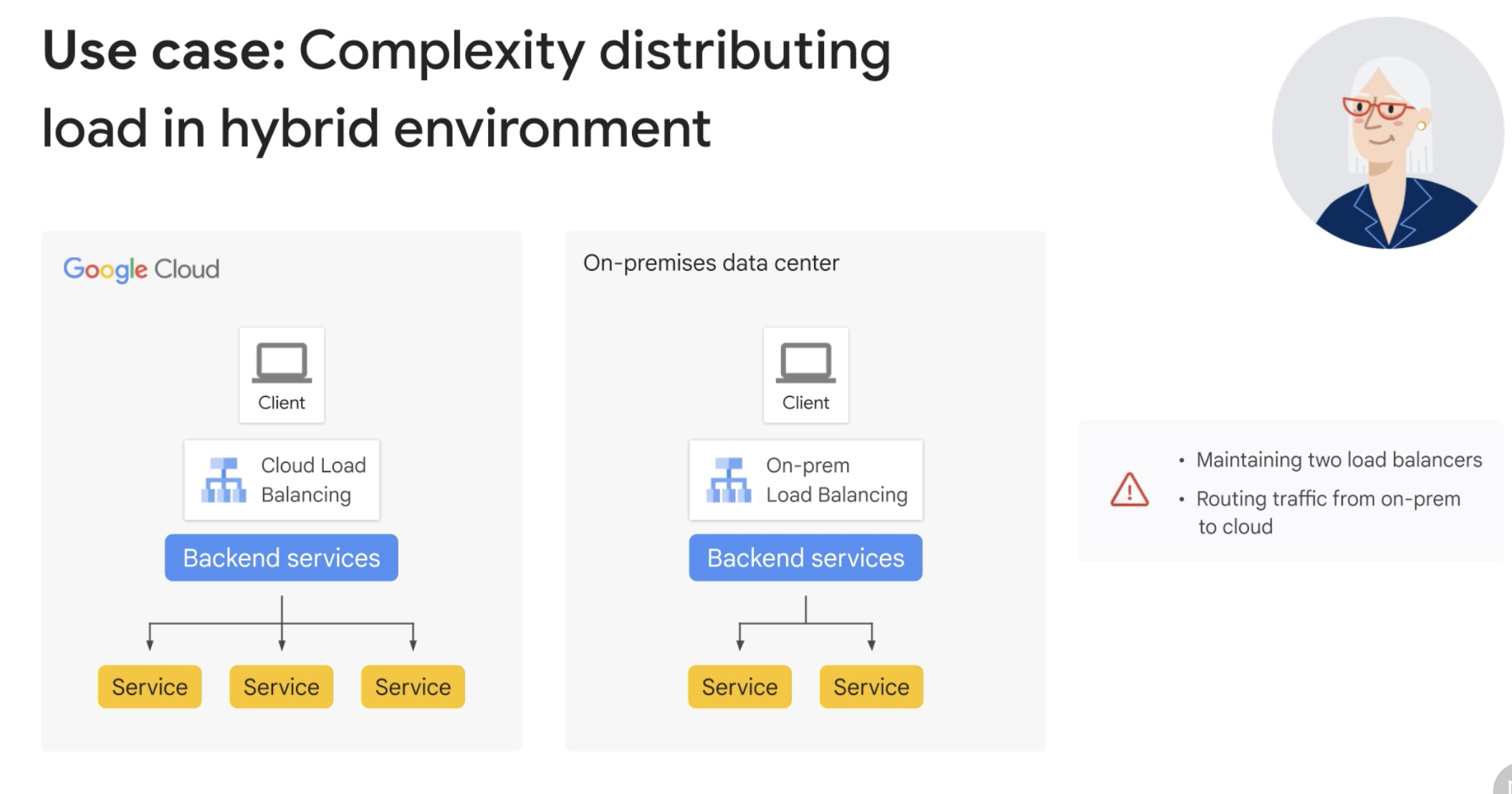
Hybrid Load Balancing & Traffic Management
- A hybrid strategy lets you extend Cloud Load Balancing to workloads that run on your existing infrastructure outside of Google Cloud.
The strategy could be:
- Permanent to provide multiple platforms for your workloads
- Temporary as you prepare to migrate your internal or external workload to Google Cloud
Usecases
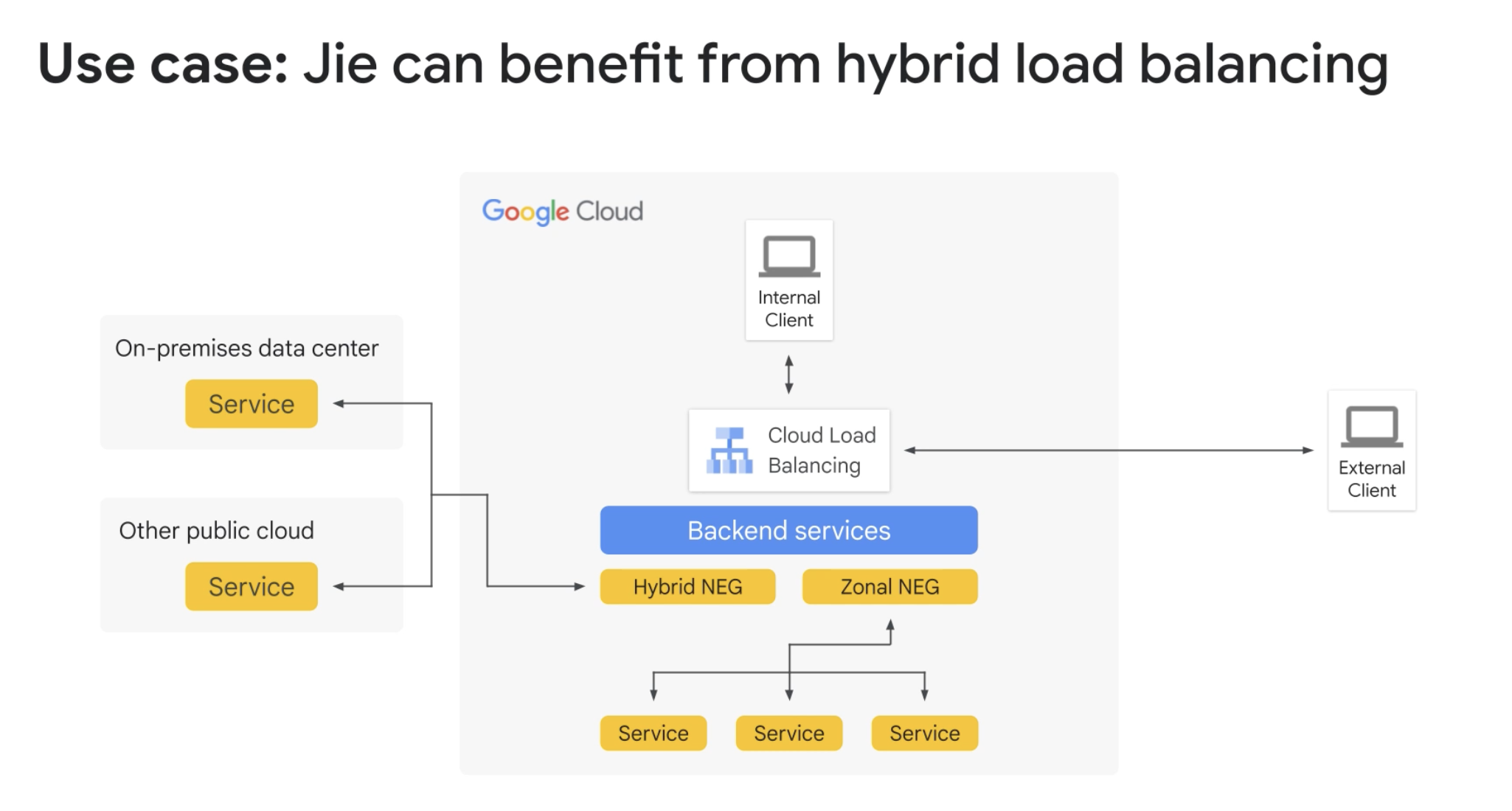
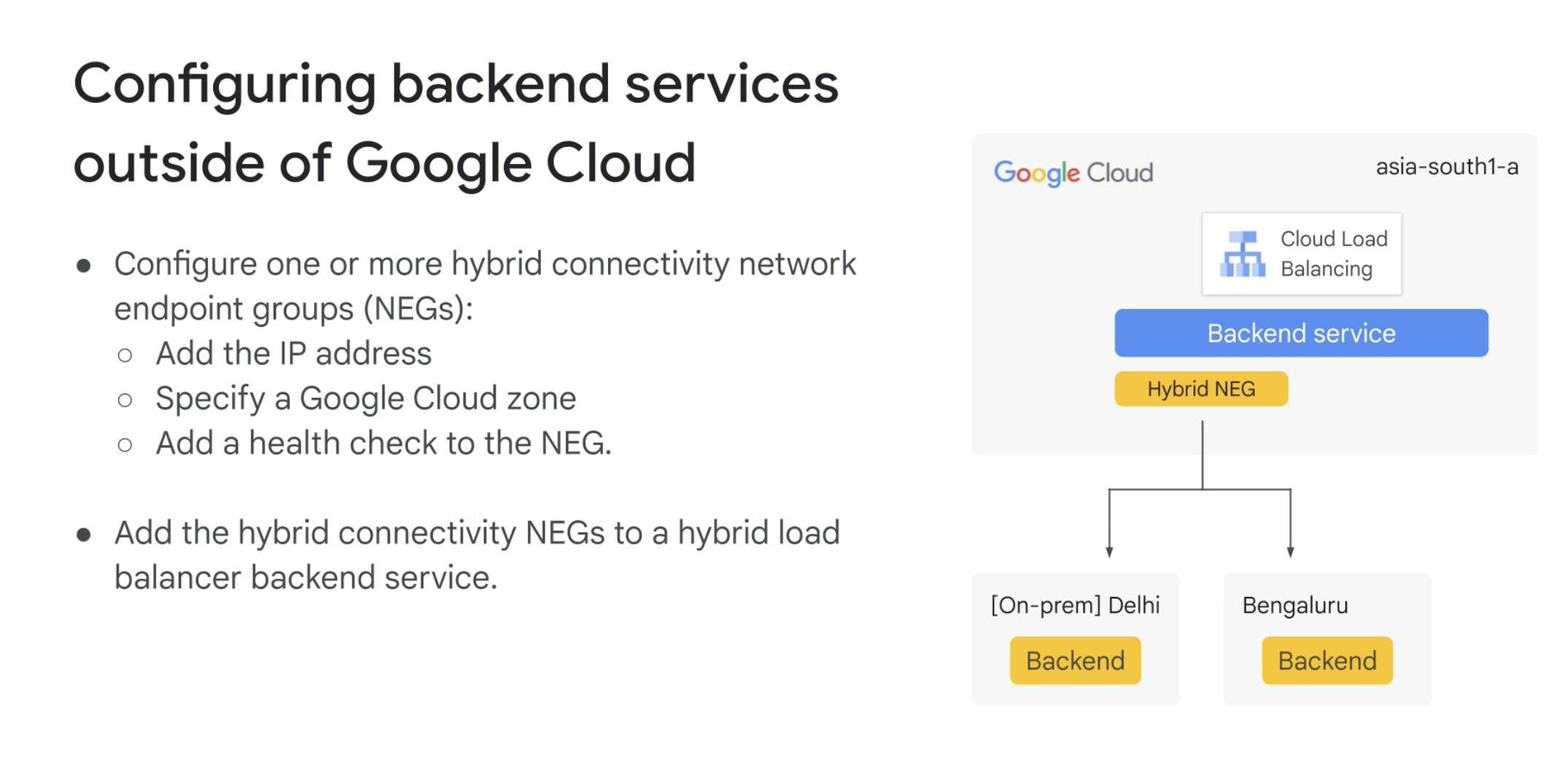
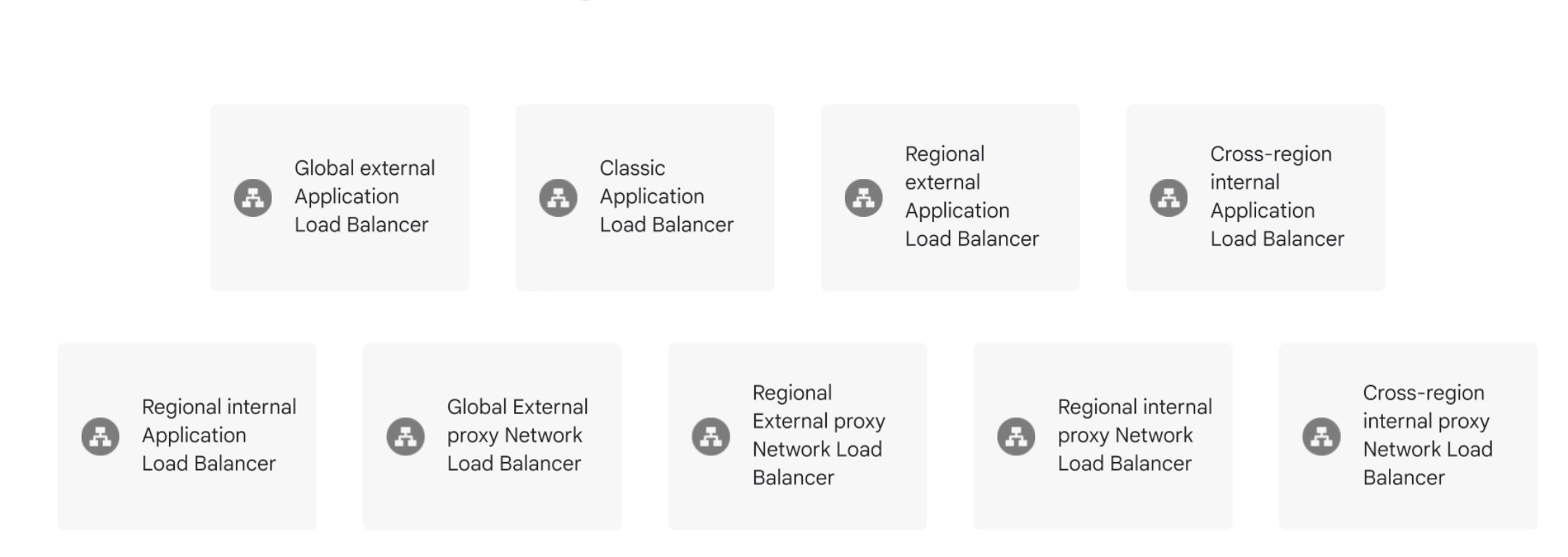
Types of load balancers that support hybrid load balancing
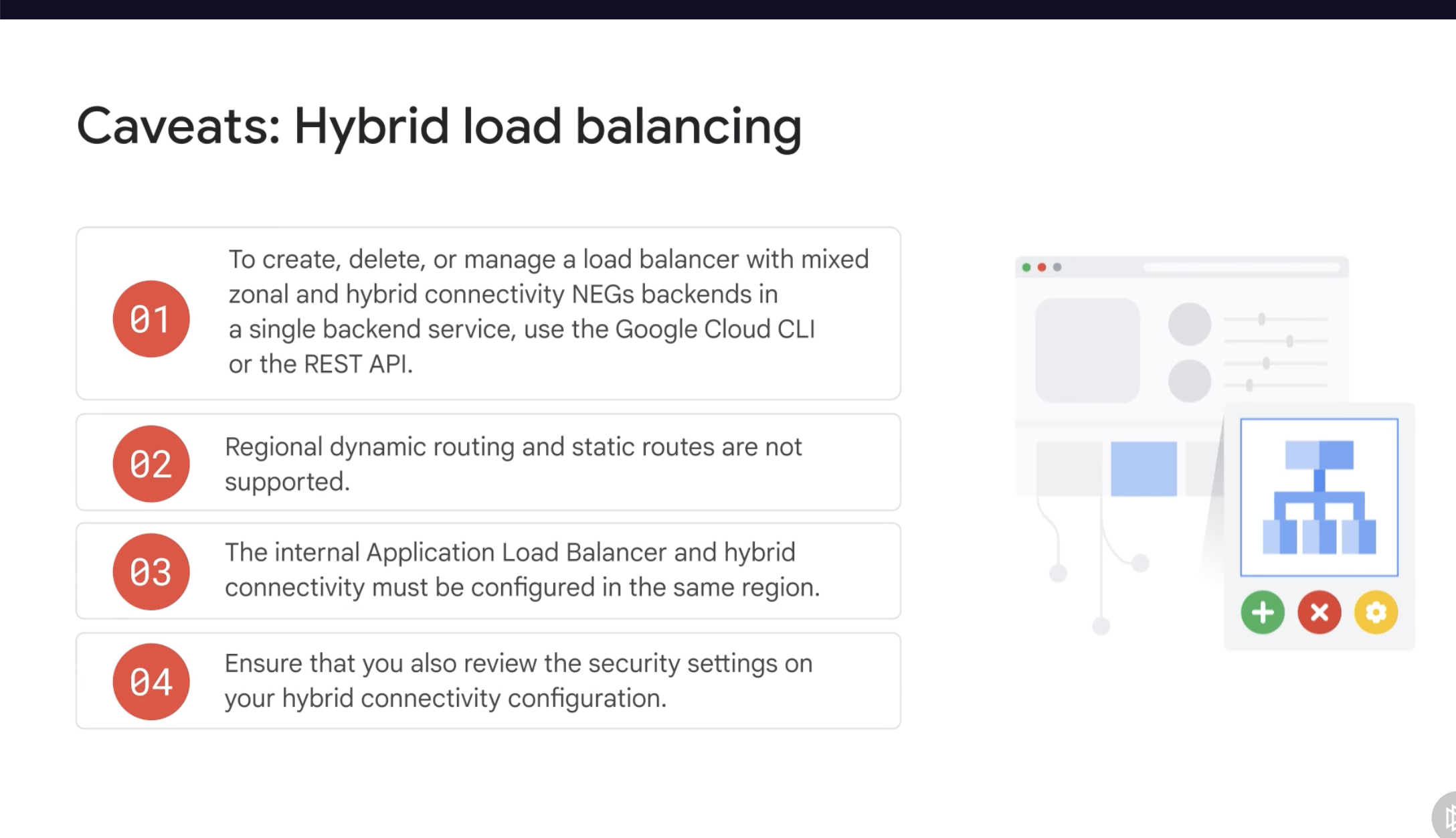
Caveats
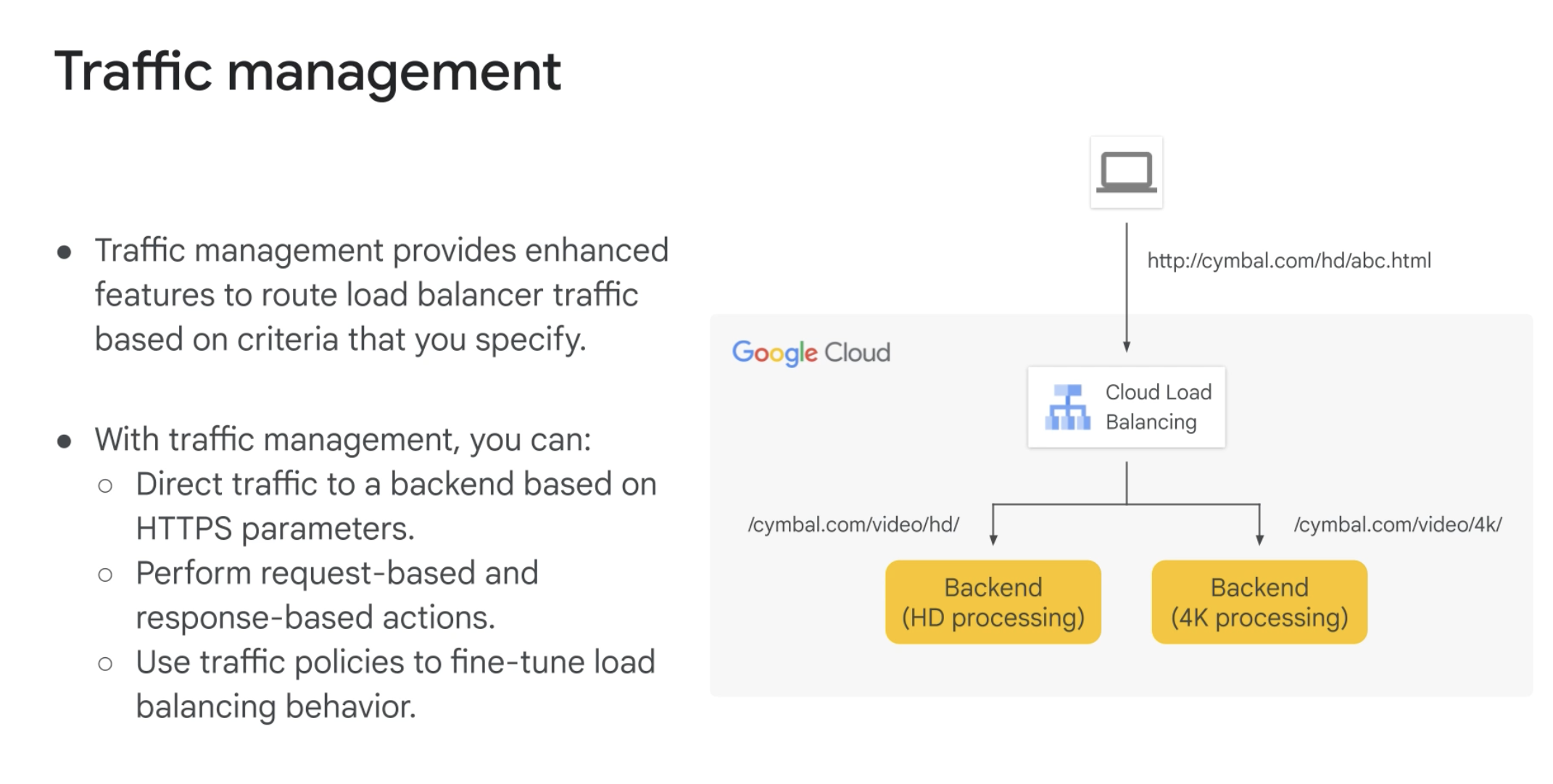
Traffic Management
- Not all load balancers support traffic management
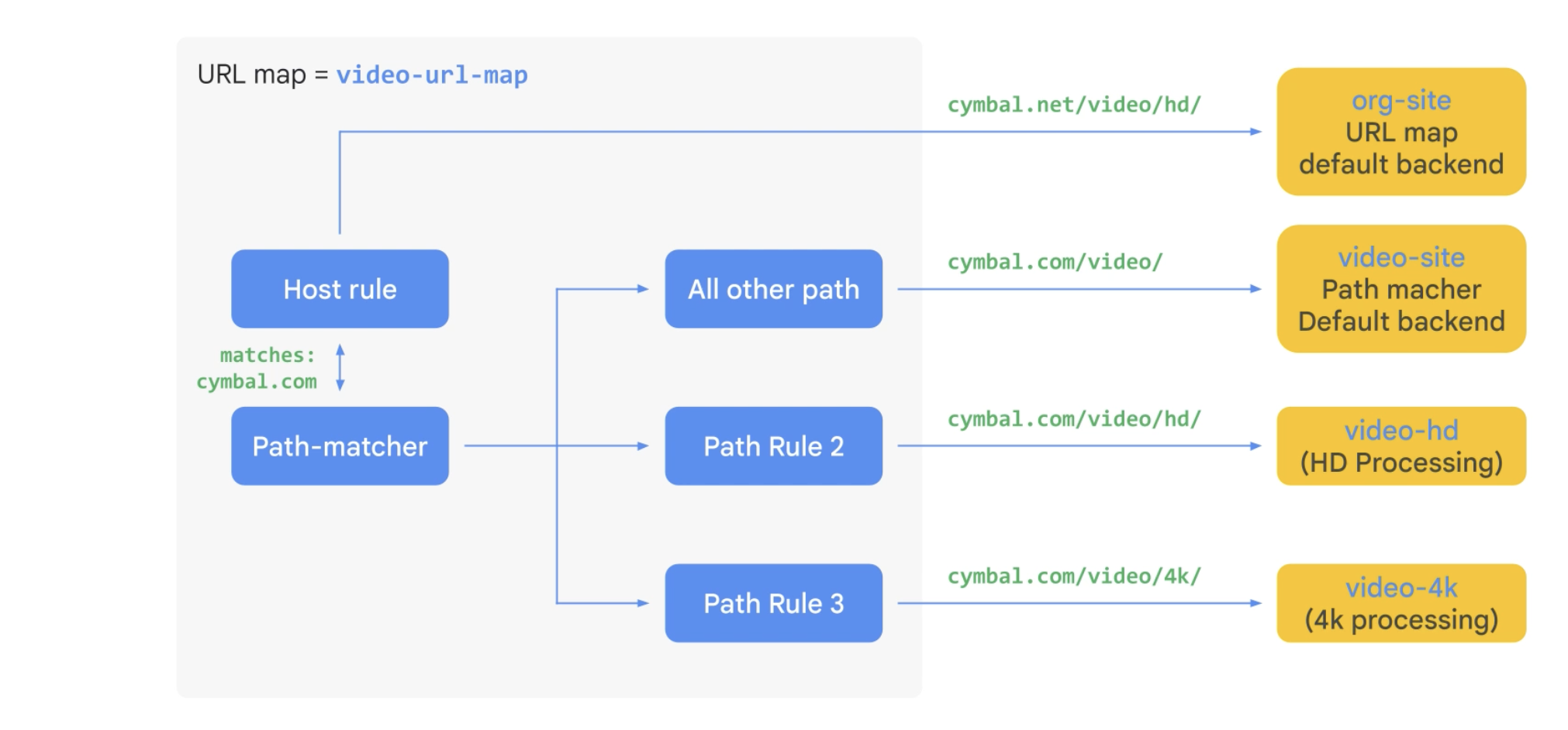
- Wildcards are supported, but only after a forward slash. Eg: /videos/_ (valid) - /videos_ (invalid)
- Substring matching and regular expressions are not supported.
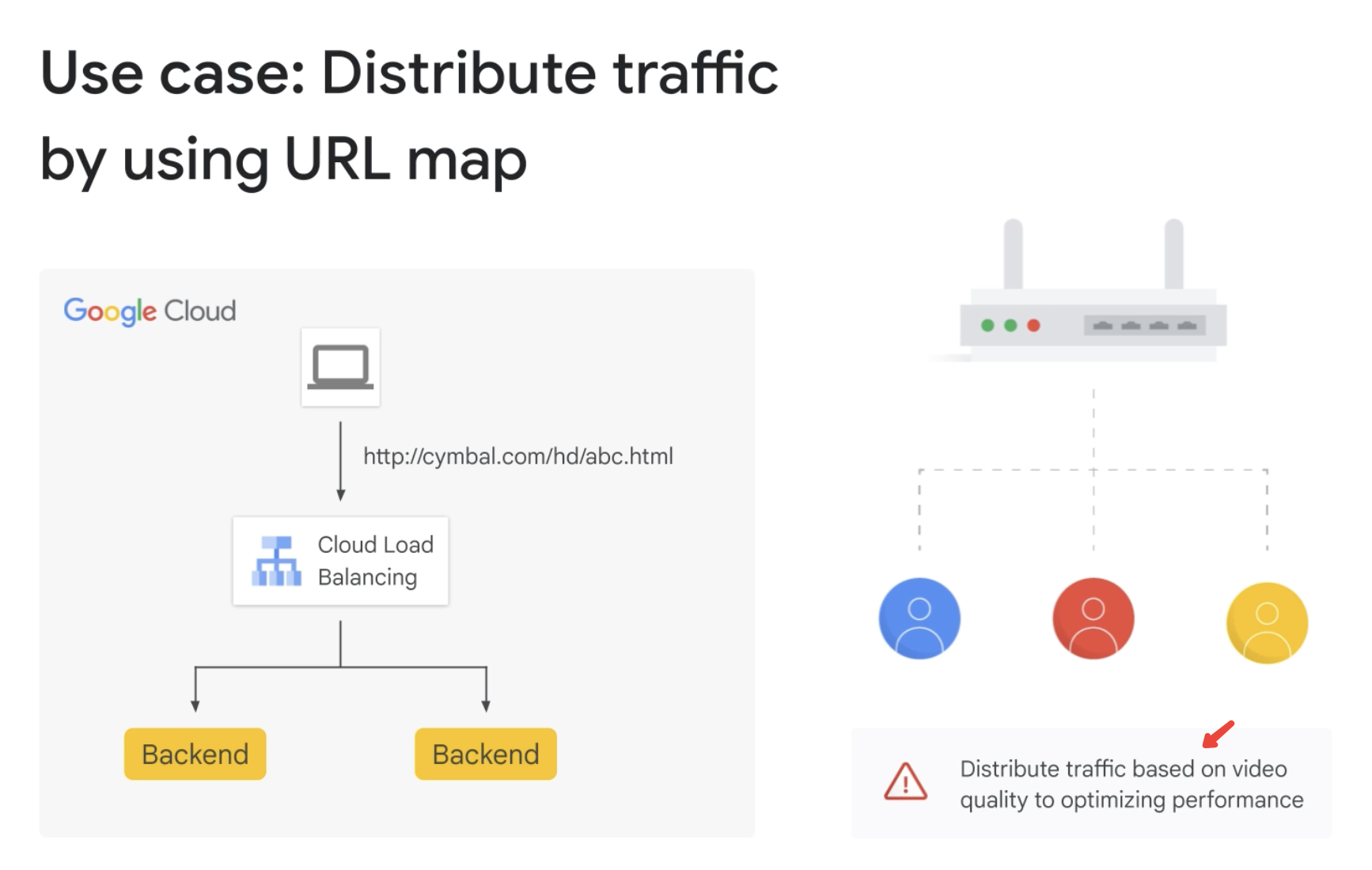
Usecase: Distribute traffic by using URL map
Terminologies
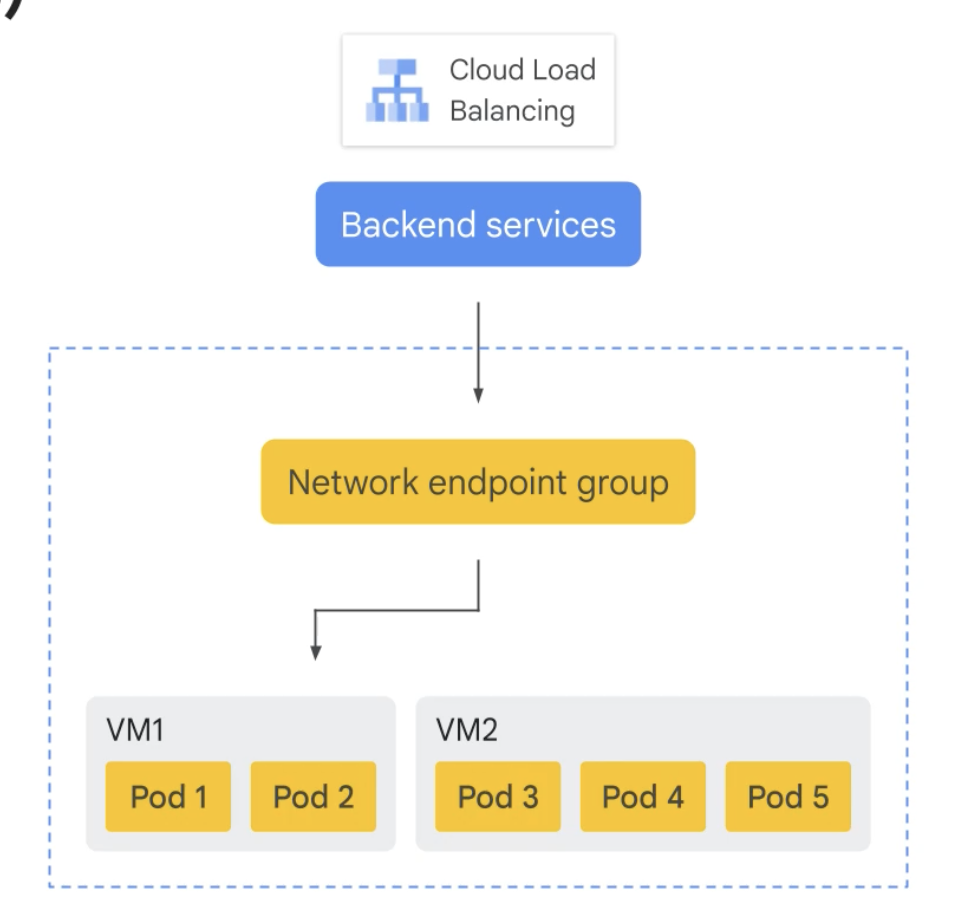
Network endpoint groups (NEGs)
-
A configuration object that specifies a group of backend endpoints or services
-
A common use case for this configuration is deploying services in GKE.
There are 5 types of NEGs:
- Zonal
- Internet
- Serverless
- Private Service Connect
- Hybrid connectivity
Identity Aware Proxy
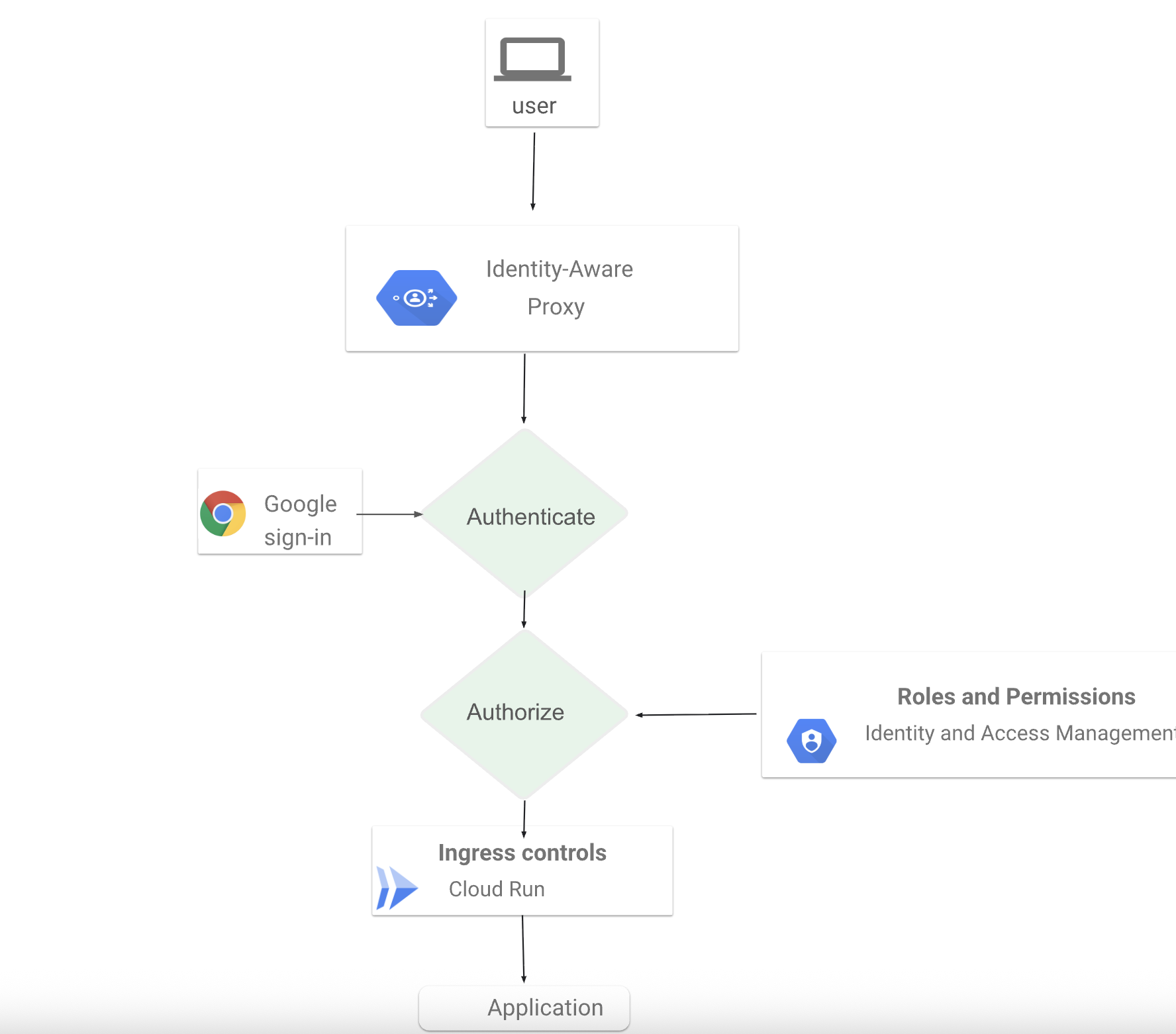
-
Identity-Aware Proxy (IAP) is a cloud-native alternative to traditional VPNs that manages access to applications running in Cloud Run, App Engine, Compute Engine, and GKE.
-
IAP verifies identity and enforces authorization at the application level, eliminating broad network access and perimeter-based security. Every request is evaluated in real time, ensuring only authenticated, authorized users can reach protected resources.
-
You can configure context-aware access policies using user identity, group membership, device security, and contextual signals like location or IP address. Unlike VPNs, IAP requires no client software or network tunneling. Users access applications directly through Chrome, while IT teams centrally define and enforce access policies in one place.
Labs
Blue Green Deployment
Blue: current version of your application Green: new version of your application
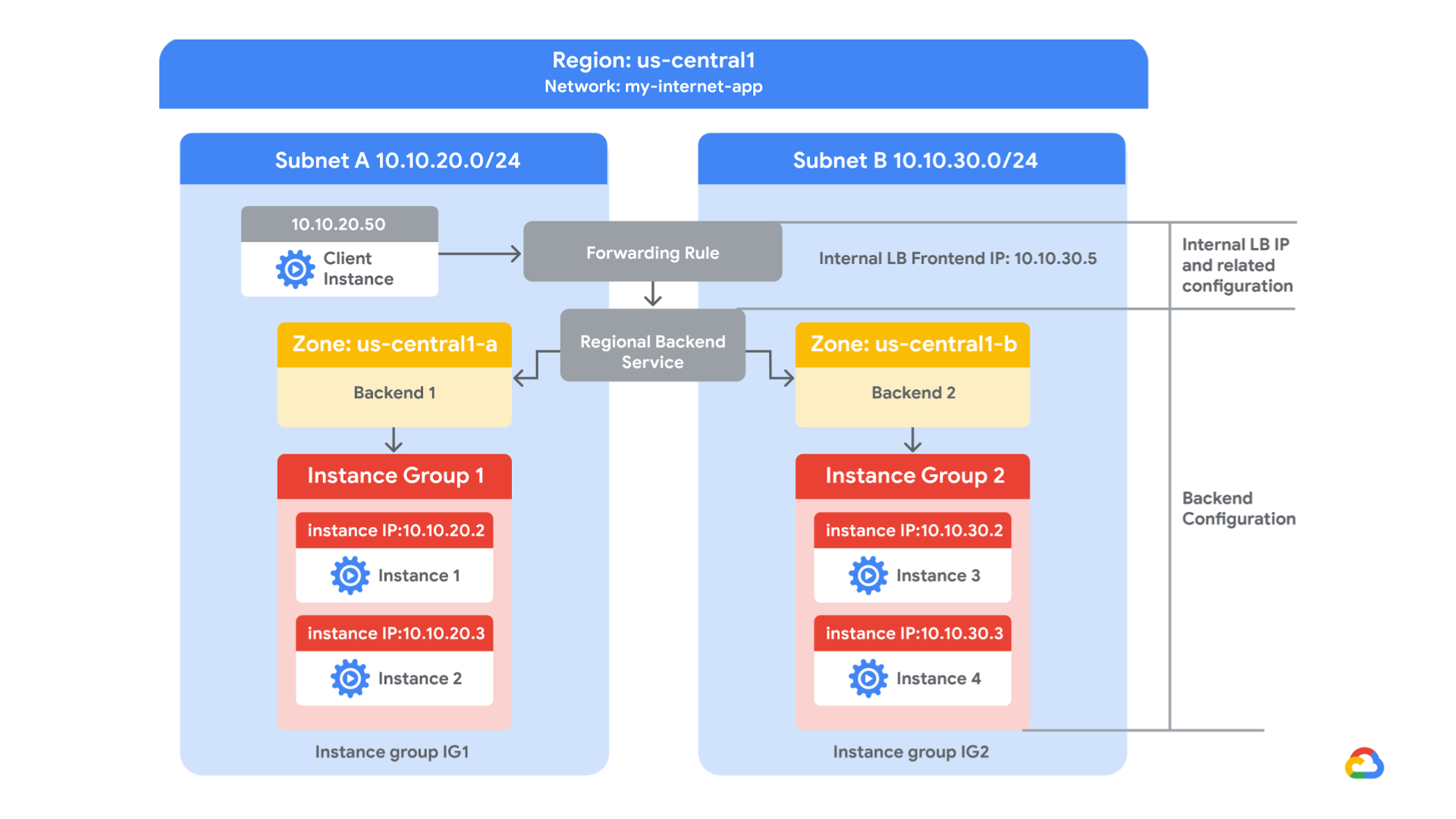
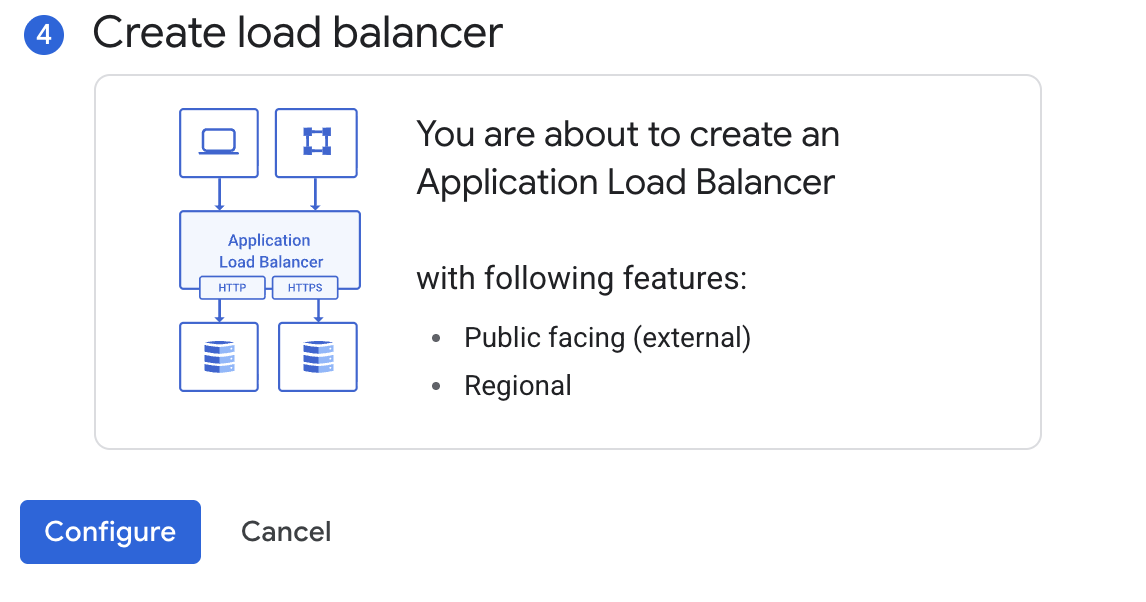
In this lab, you create a regional internal Application Load Balancer with two backends. Each backend will be an instance group. You will configure the load balancer to create a blue-green deployment.
The blue deployment refers to the current version of your application, and the green deployment refers to a new application version. You configure the load balancer to send 70% of the traffic to the blue deployment and 30% to the green deployment. When you’re finished, the environment will look like this:
Steps
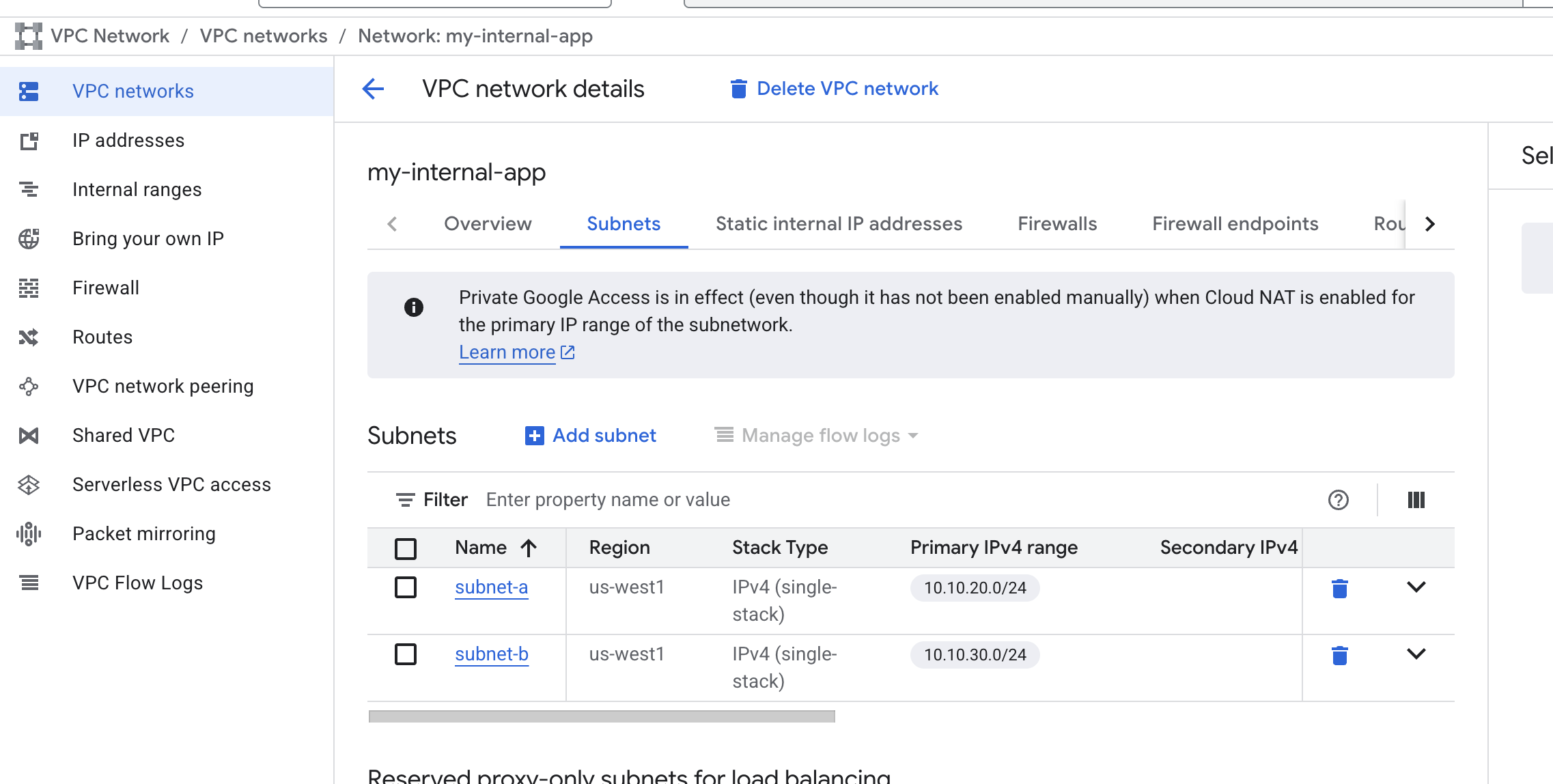
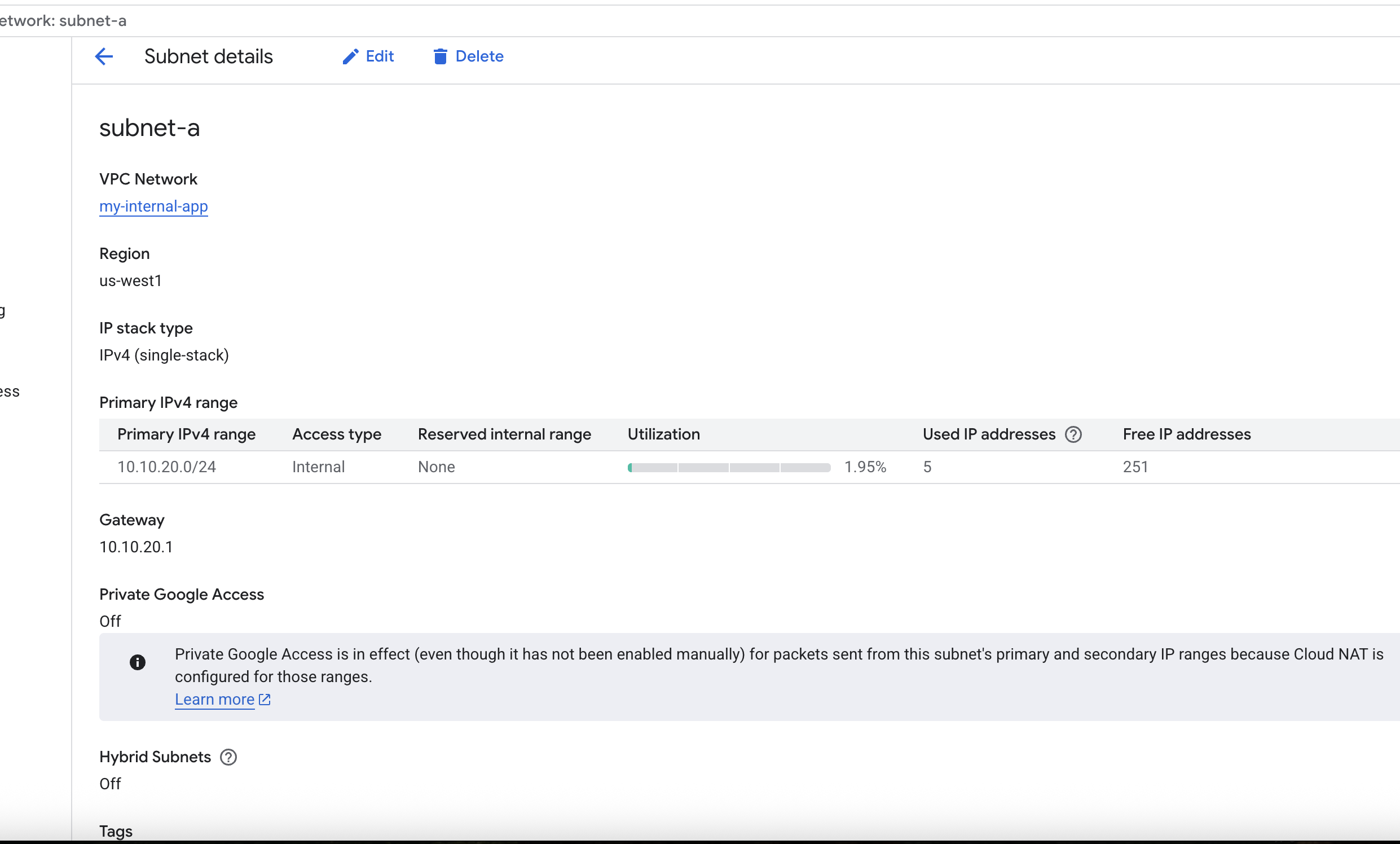
- Create VPC Network and its subnets
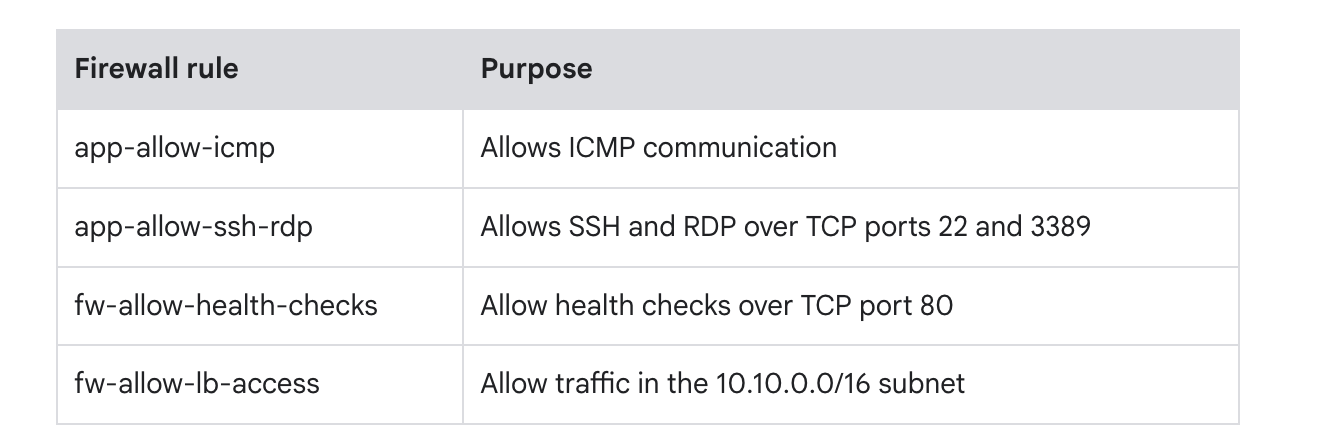
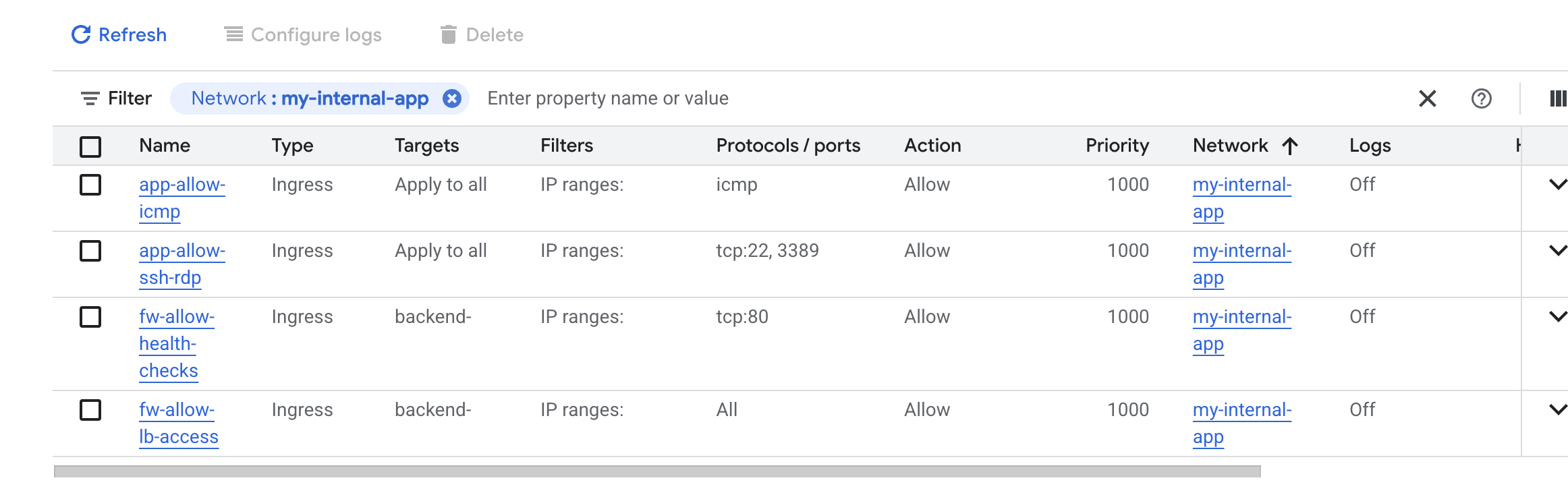
- Config firewall
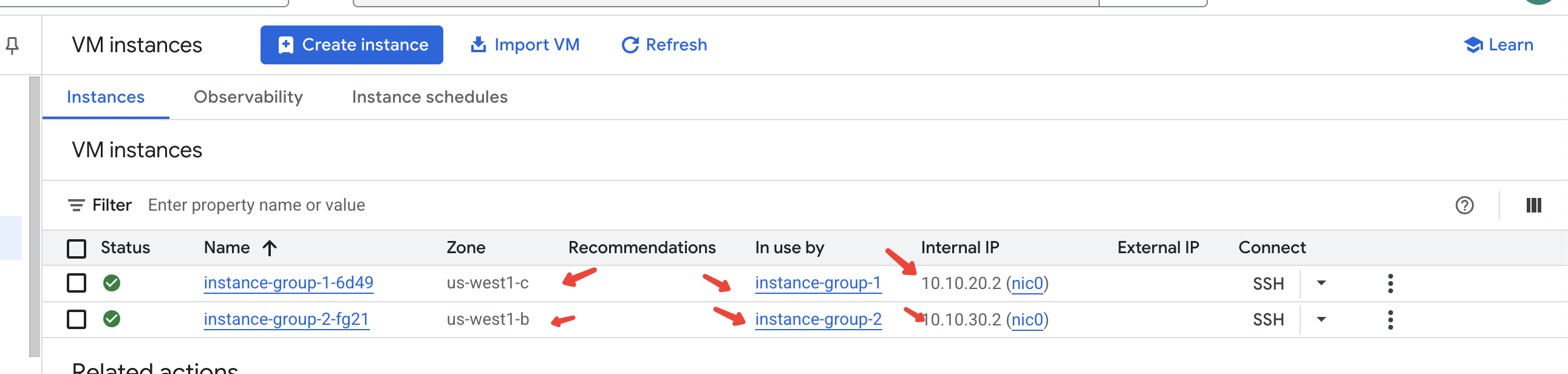
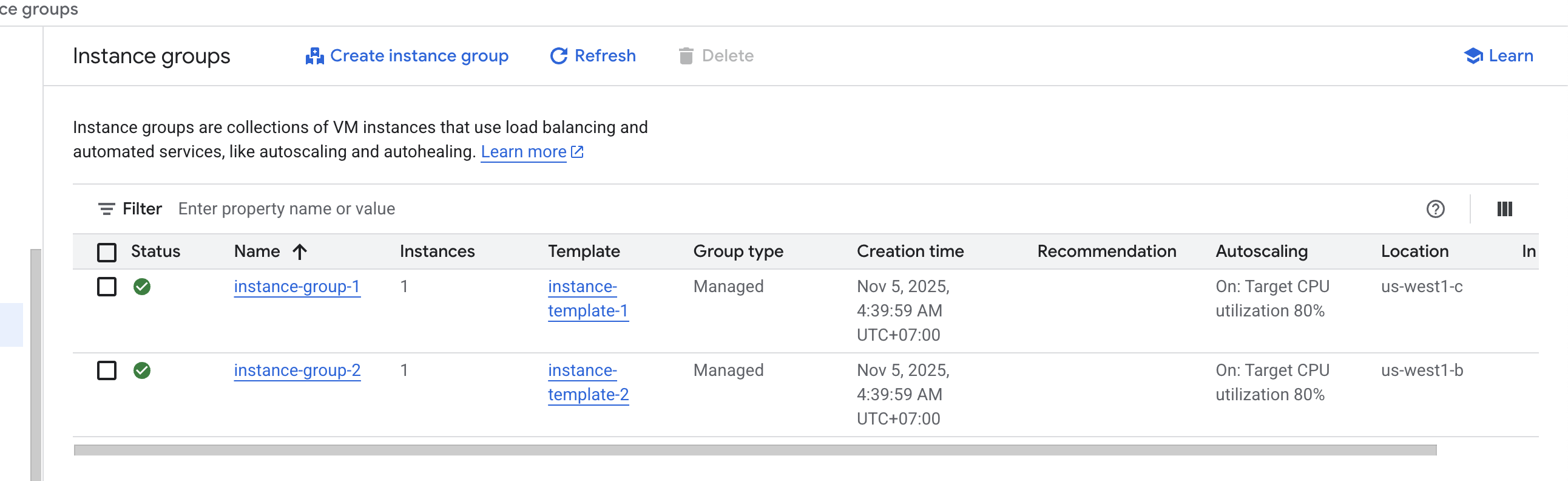
- Create instance groups
- Configure load balancer
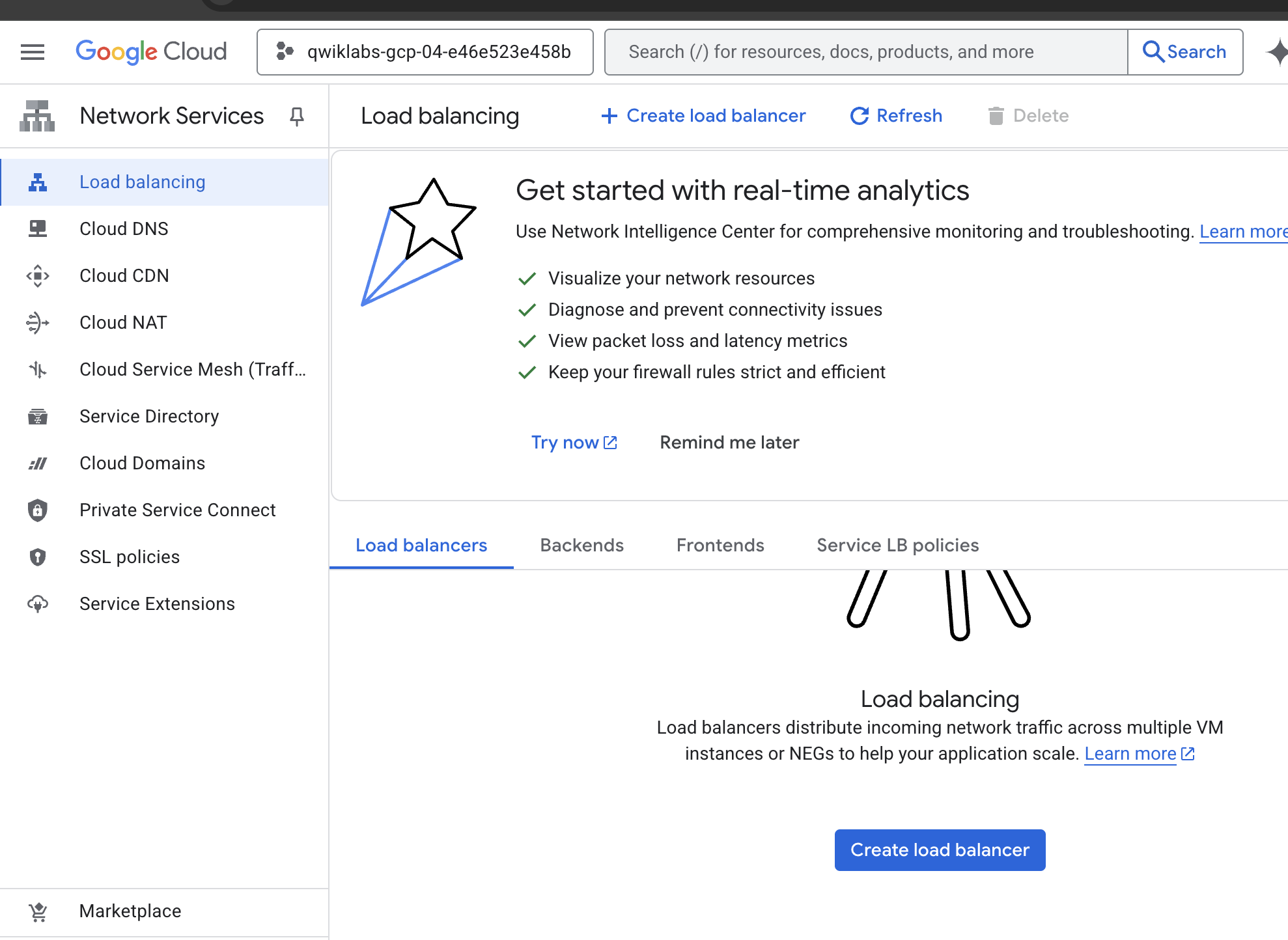
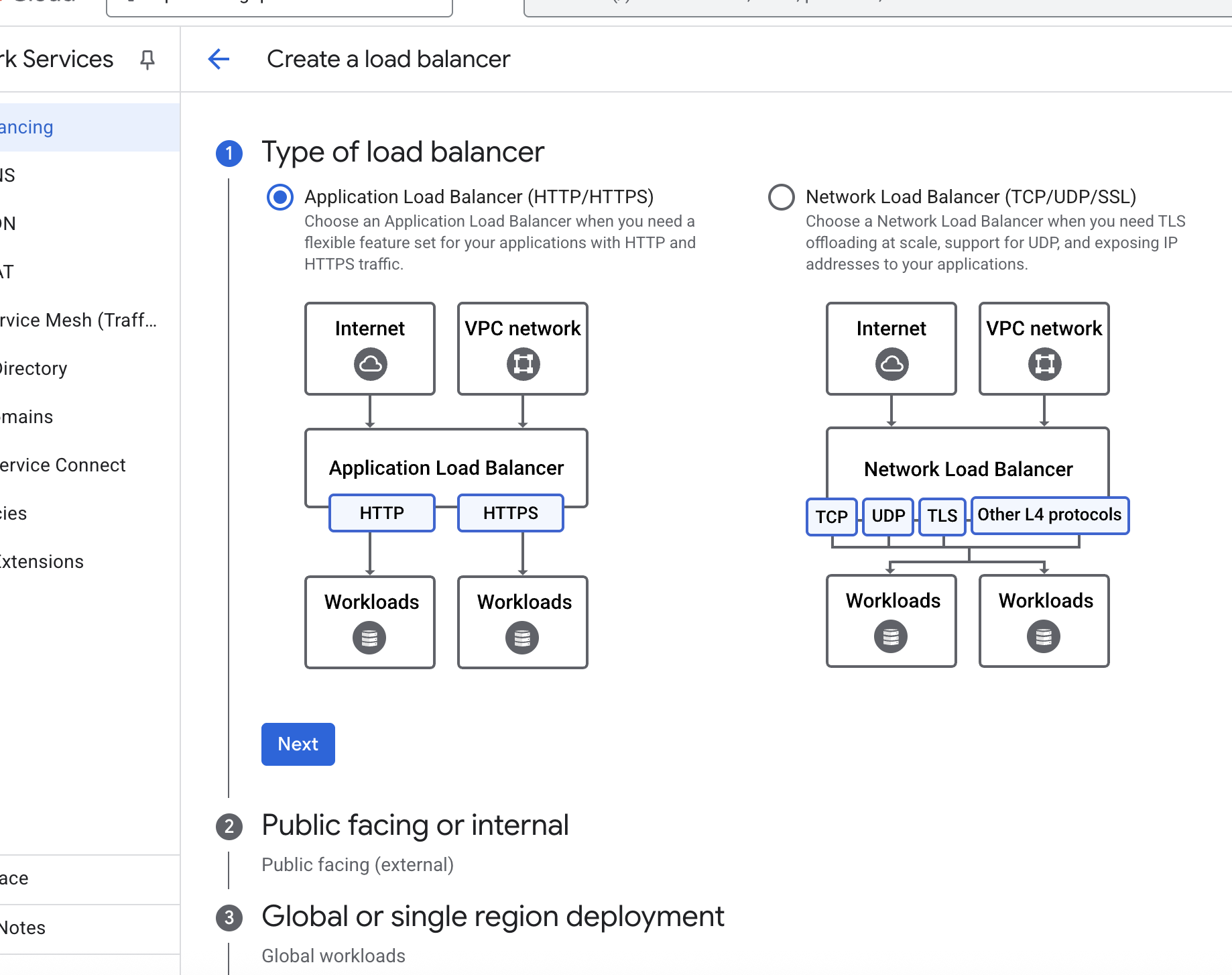
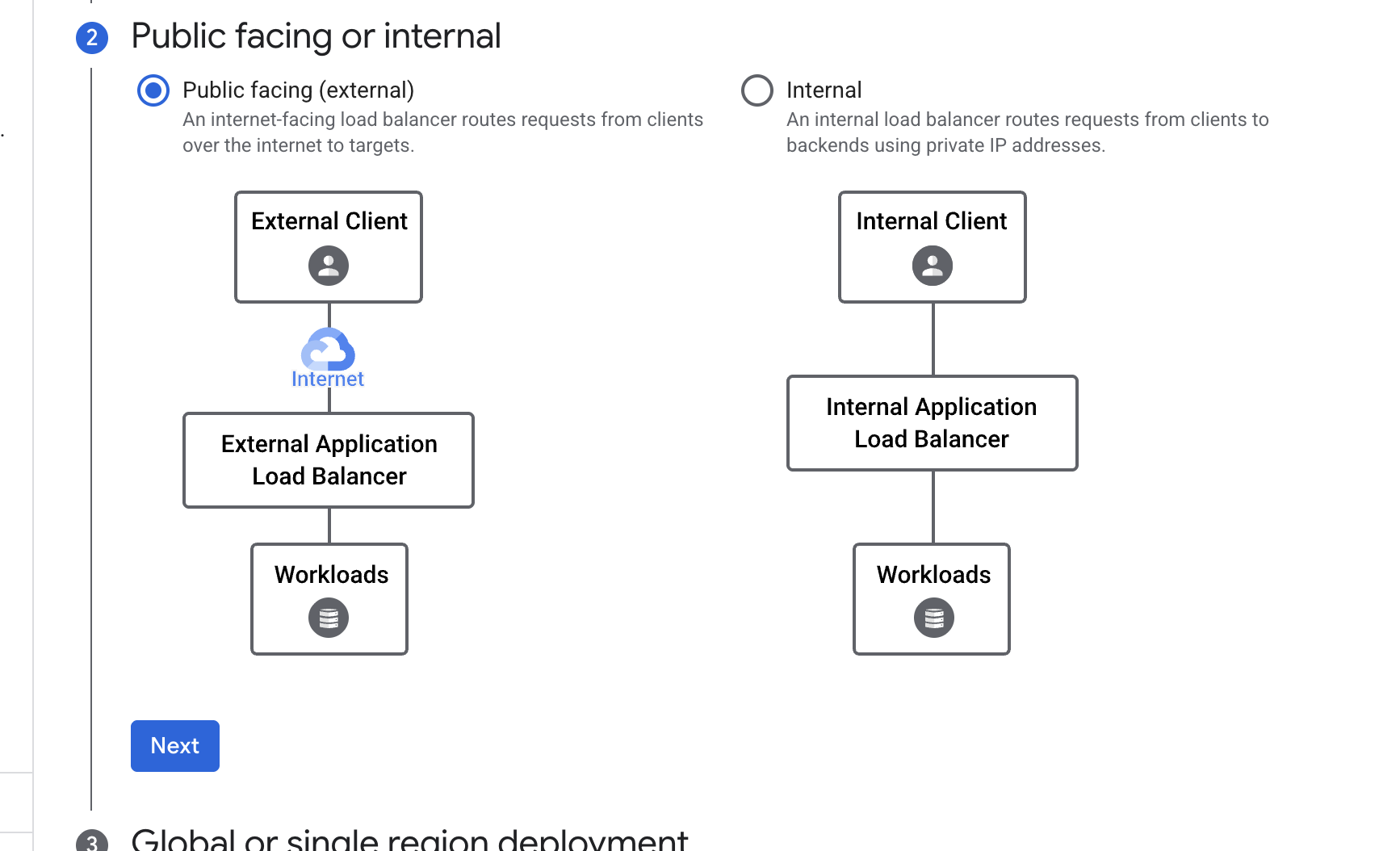
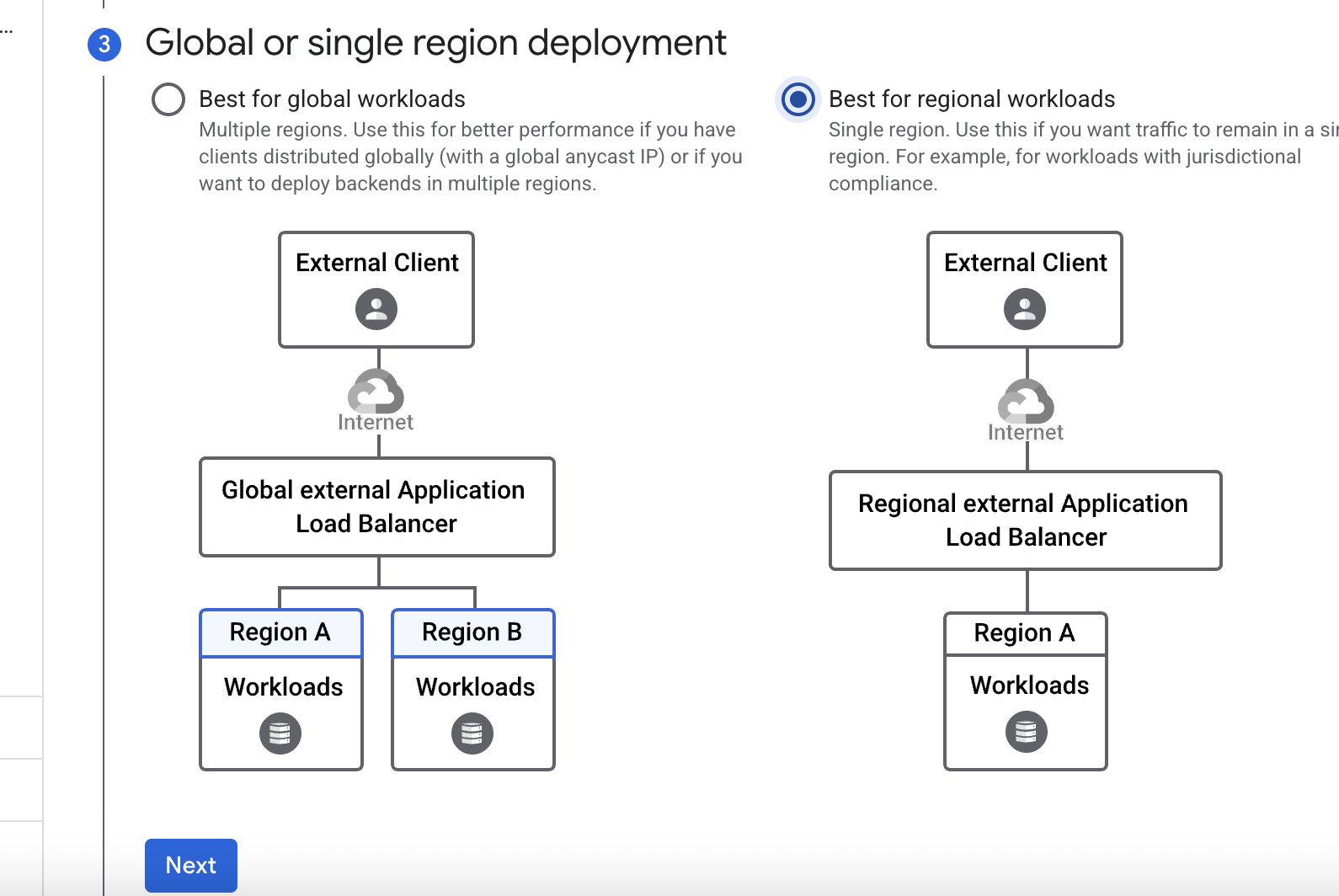
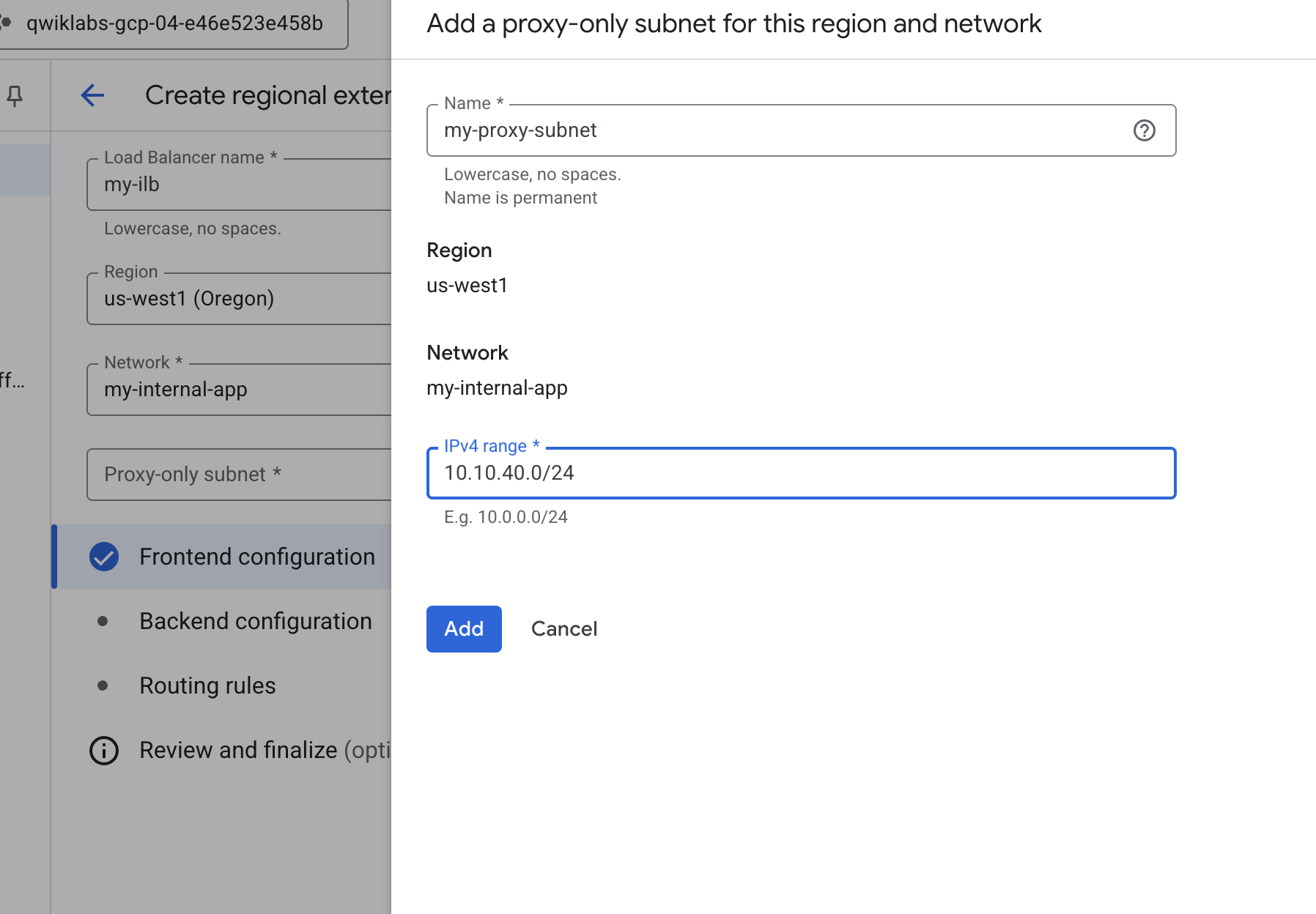
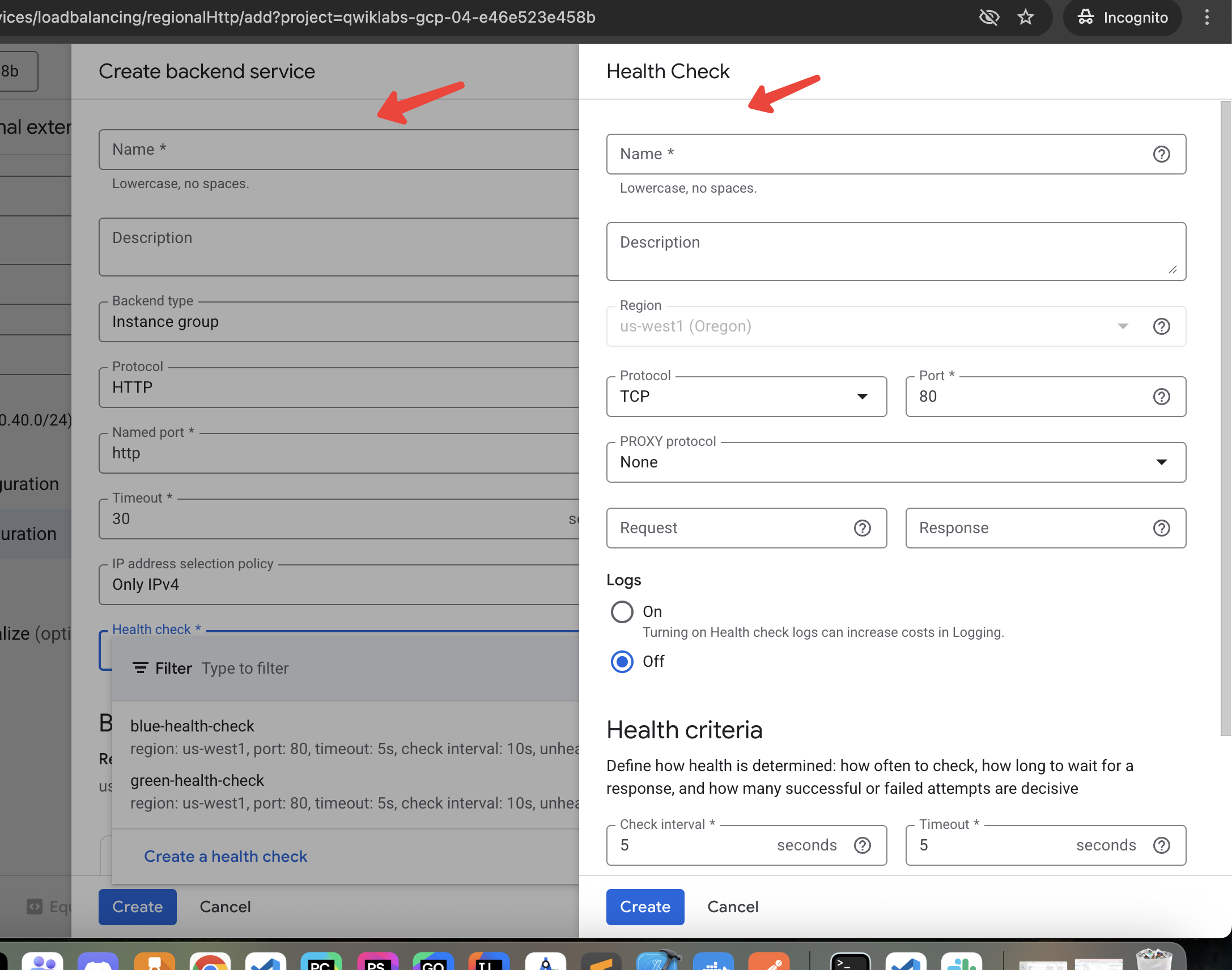
Create backend service, health check
Routes
defaultService: regions/us-west1/backendServices/blue-service
name: matcher1
routeRules:
  - matchRules:
      - prefixMatch: /
    priority: 0
    routeAction:
      weightedBackendServices:
        - backendService: regions/us-west1/backendServices/blue-service
          weight: 70
        - backendService: regions/us-west1/backendServices/green-service
          weight: 30
Caching and Optimizing Load Balancing
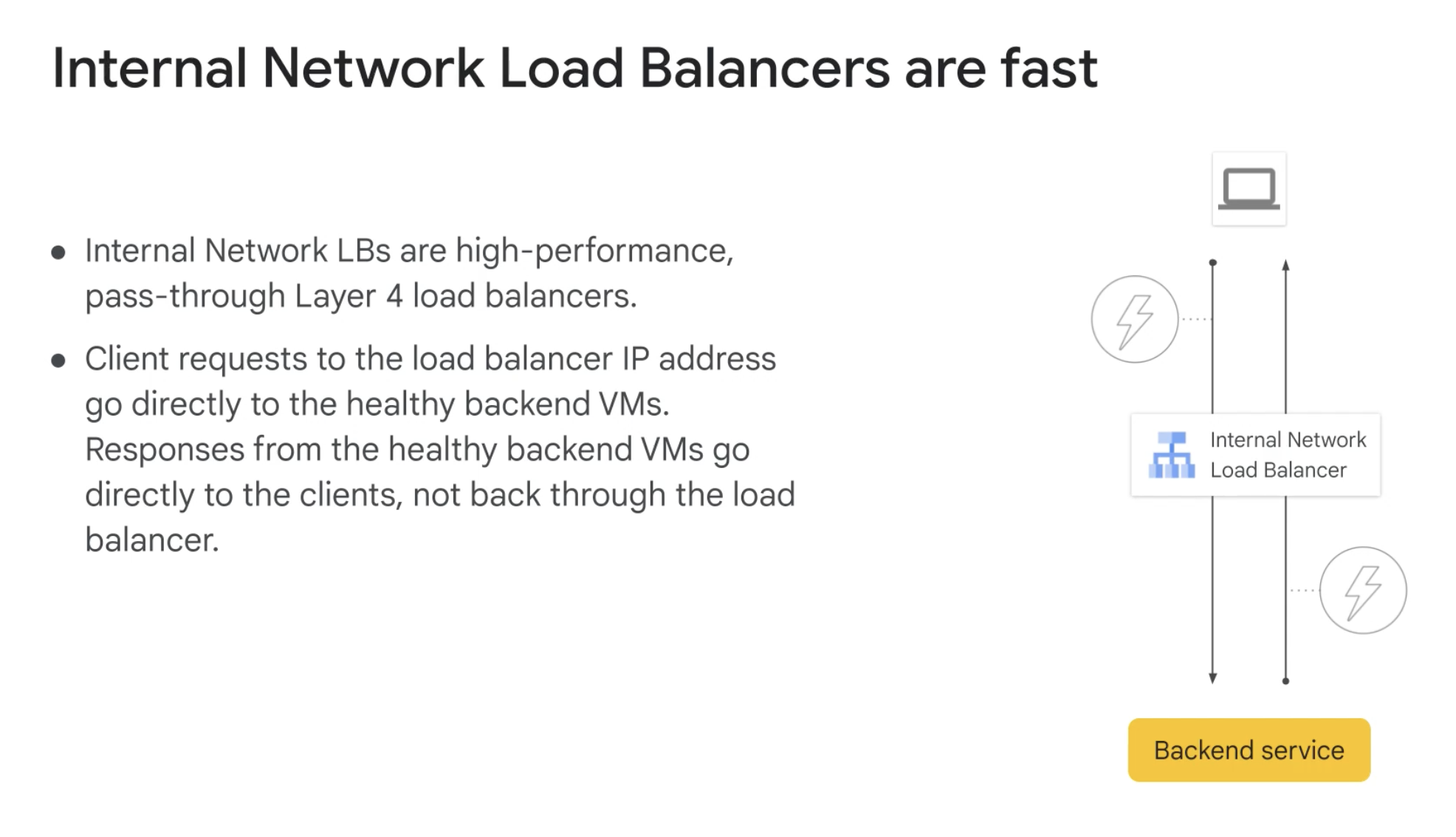
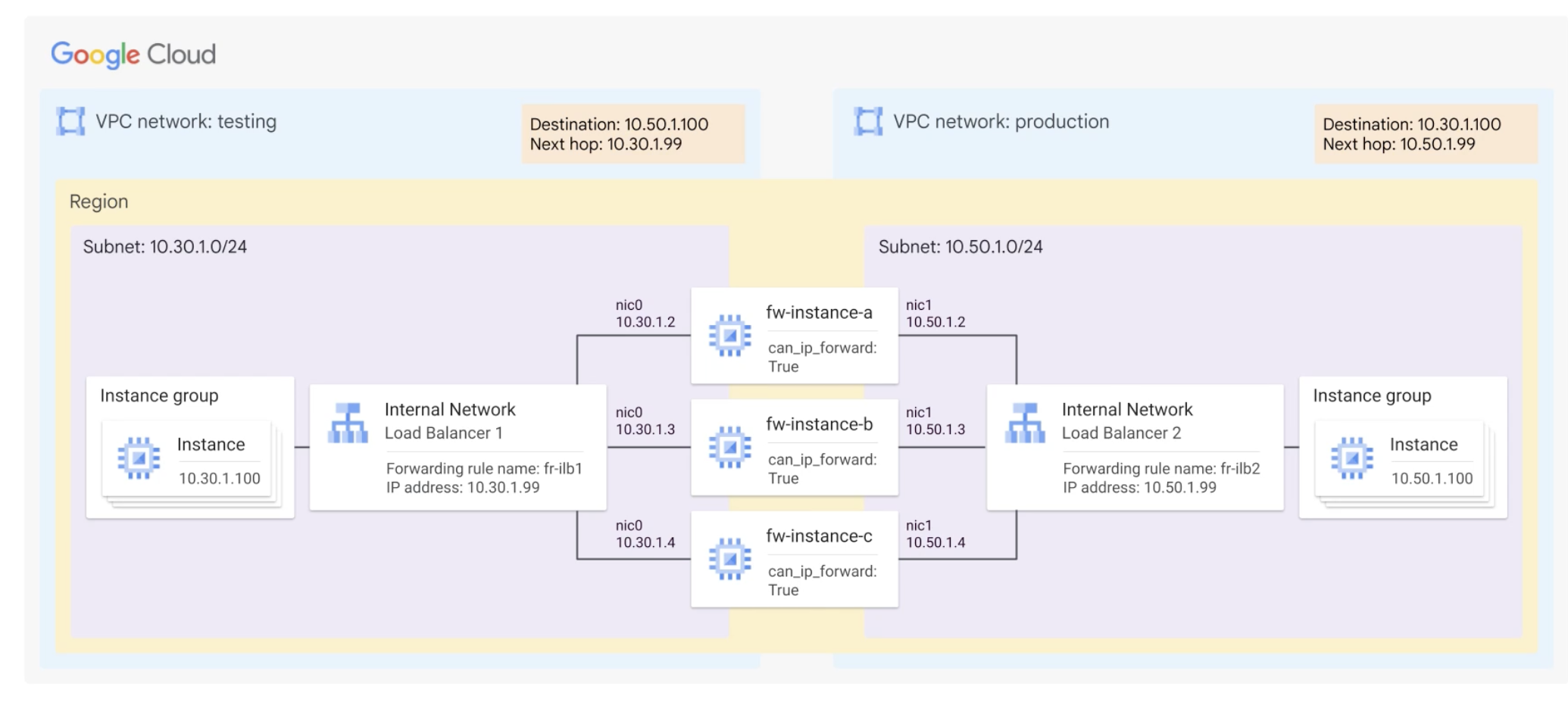
Internal Network Load Balancers are fast
Usecases
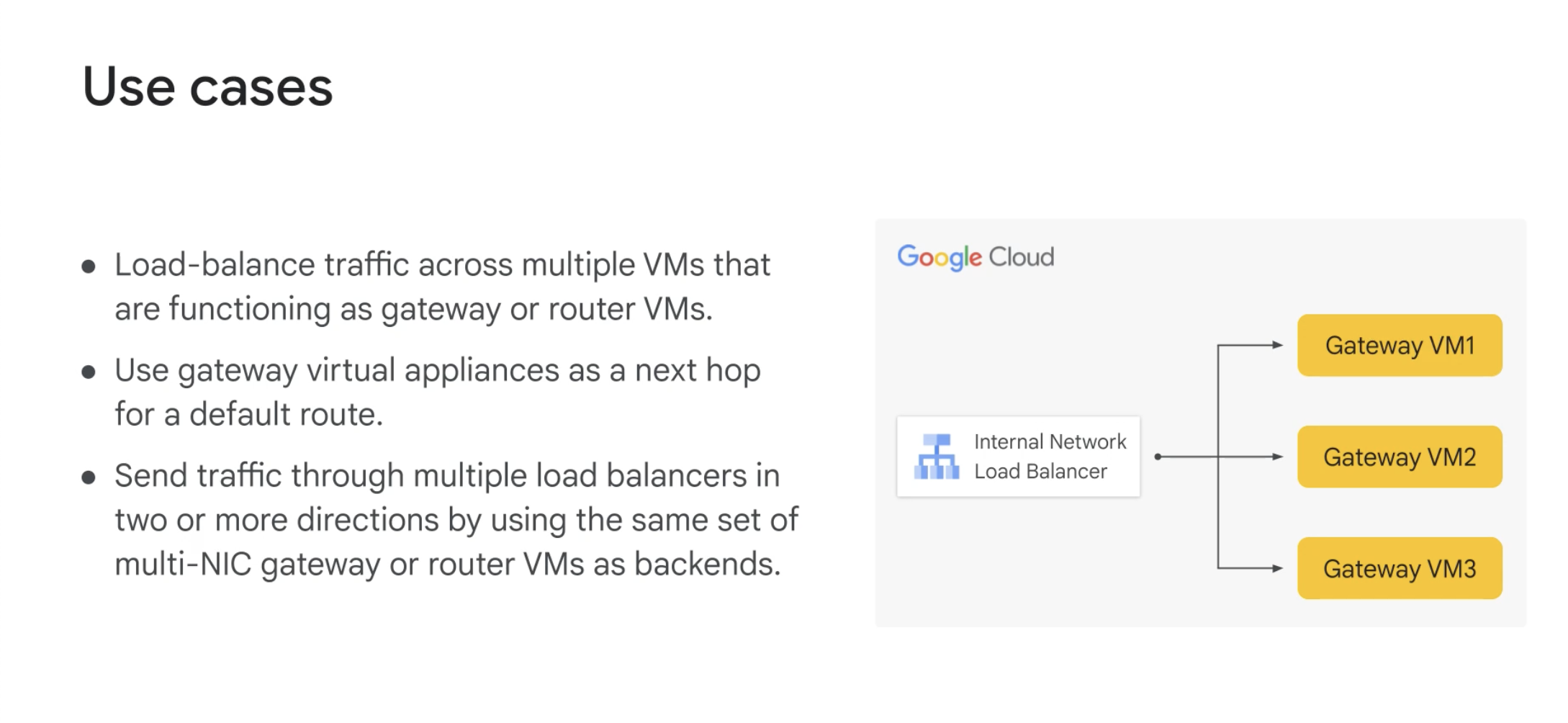
Next hop
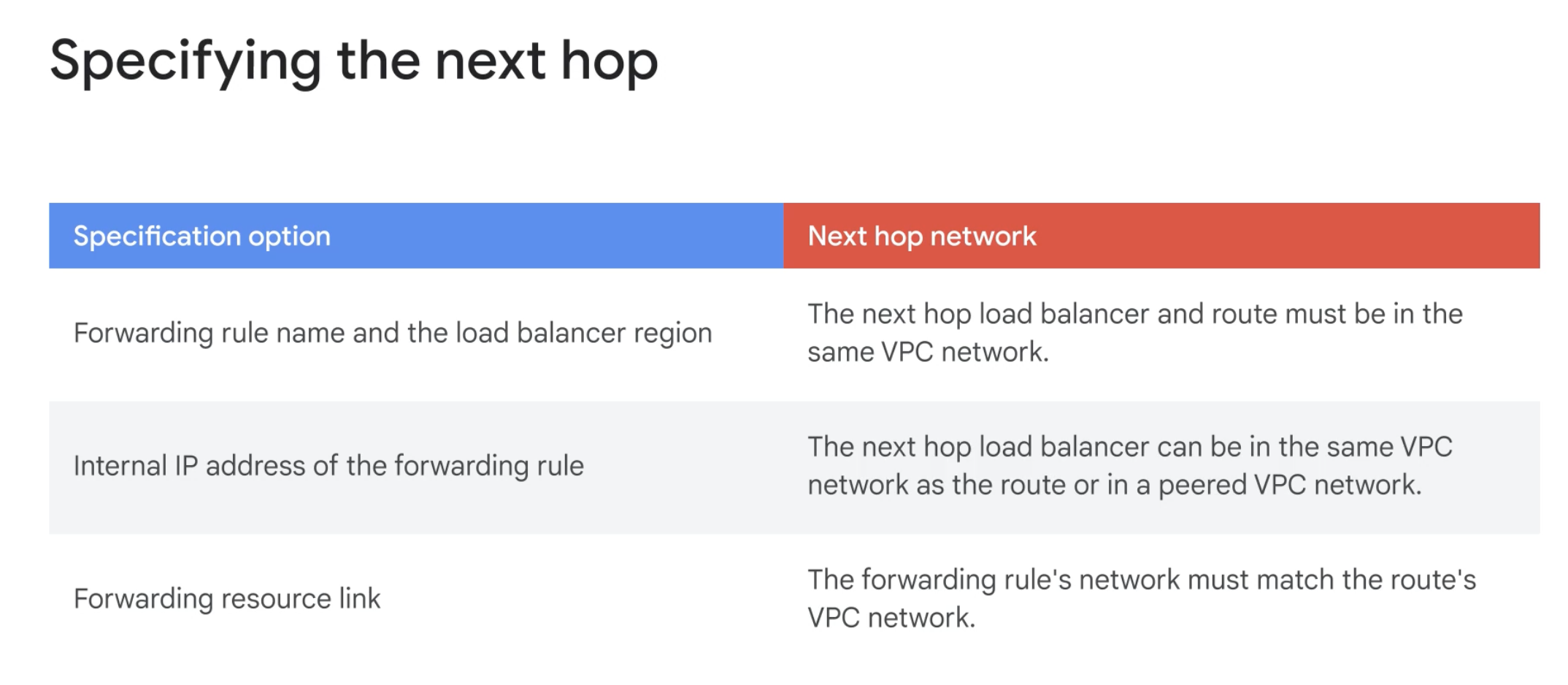
Next hop to a NAT gateway
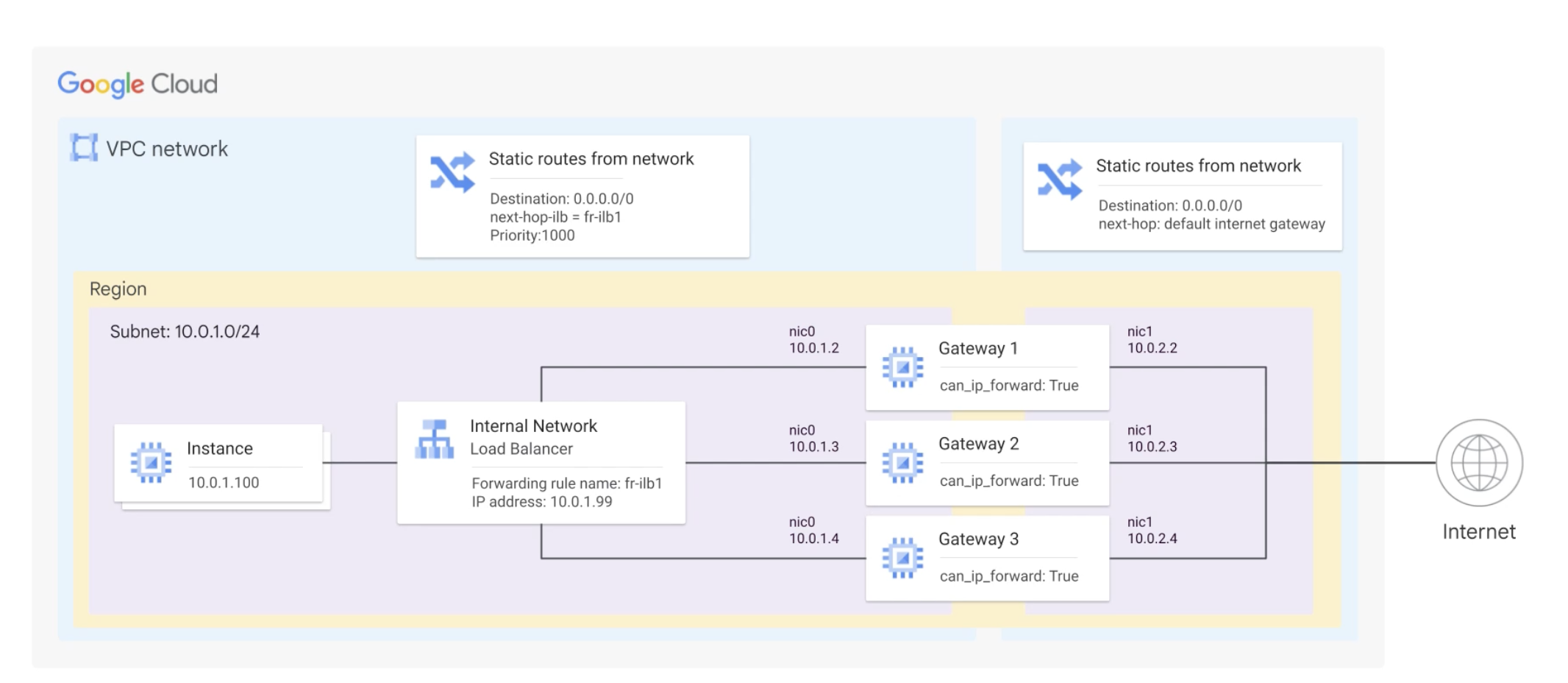
Using a hub and spoke topology
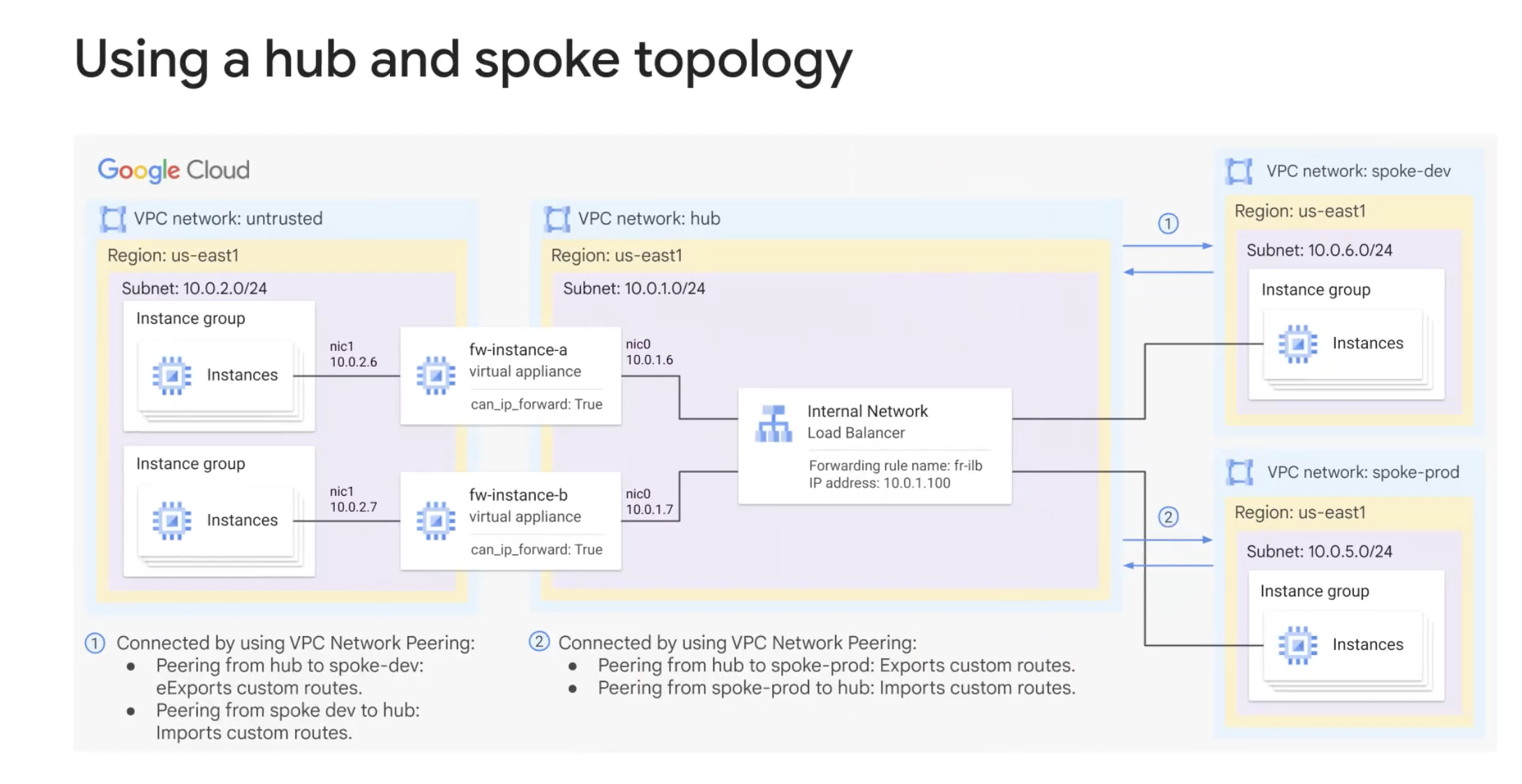
Load balancing to multiple NICs
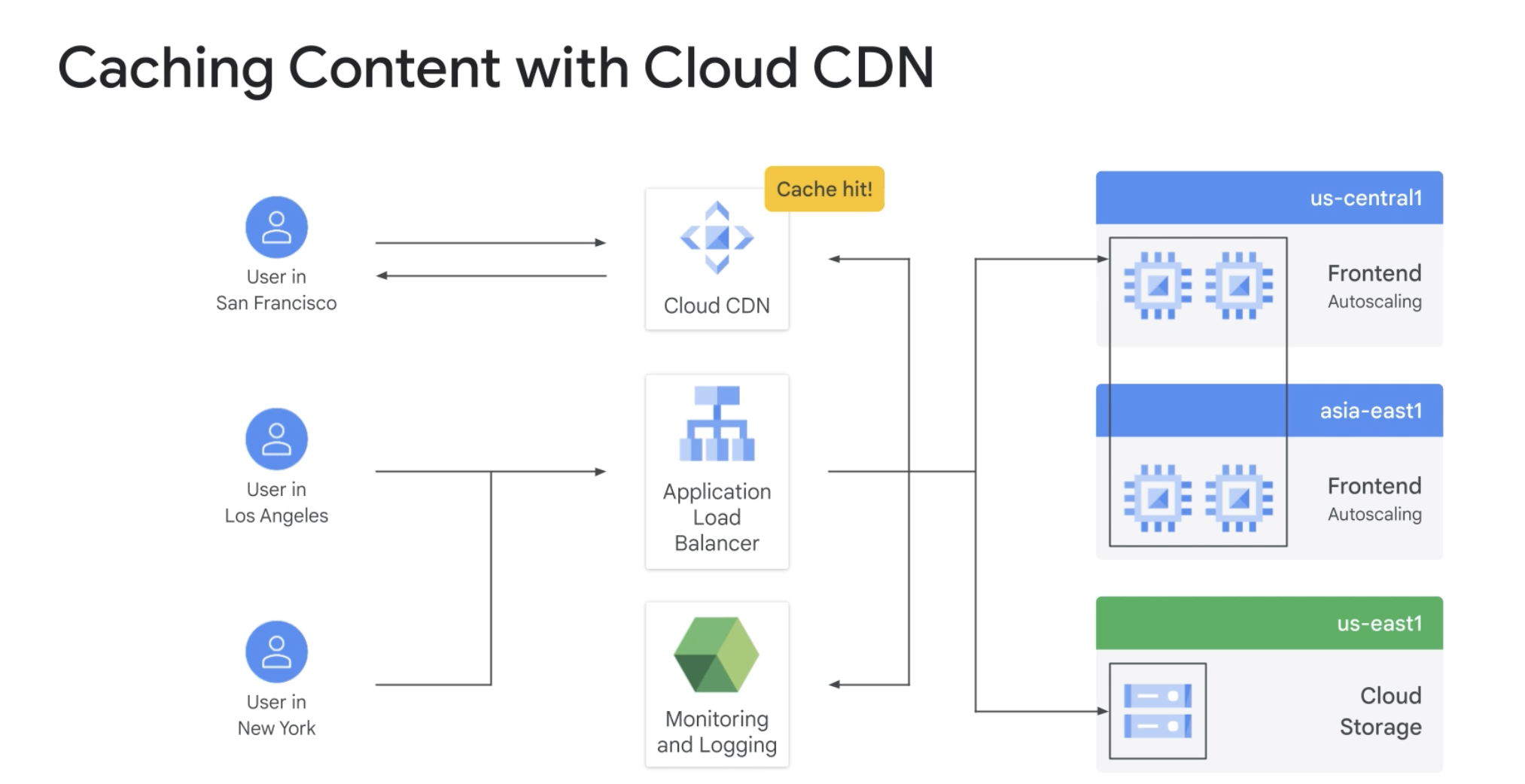
Cloud CDN ( content delivery network )
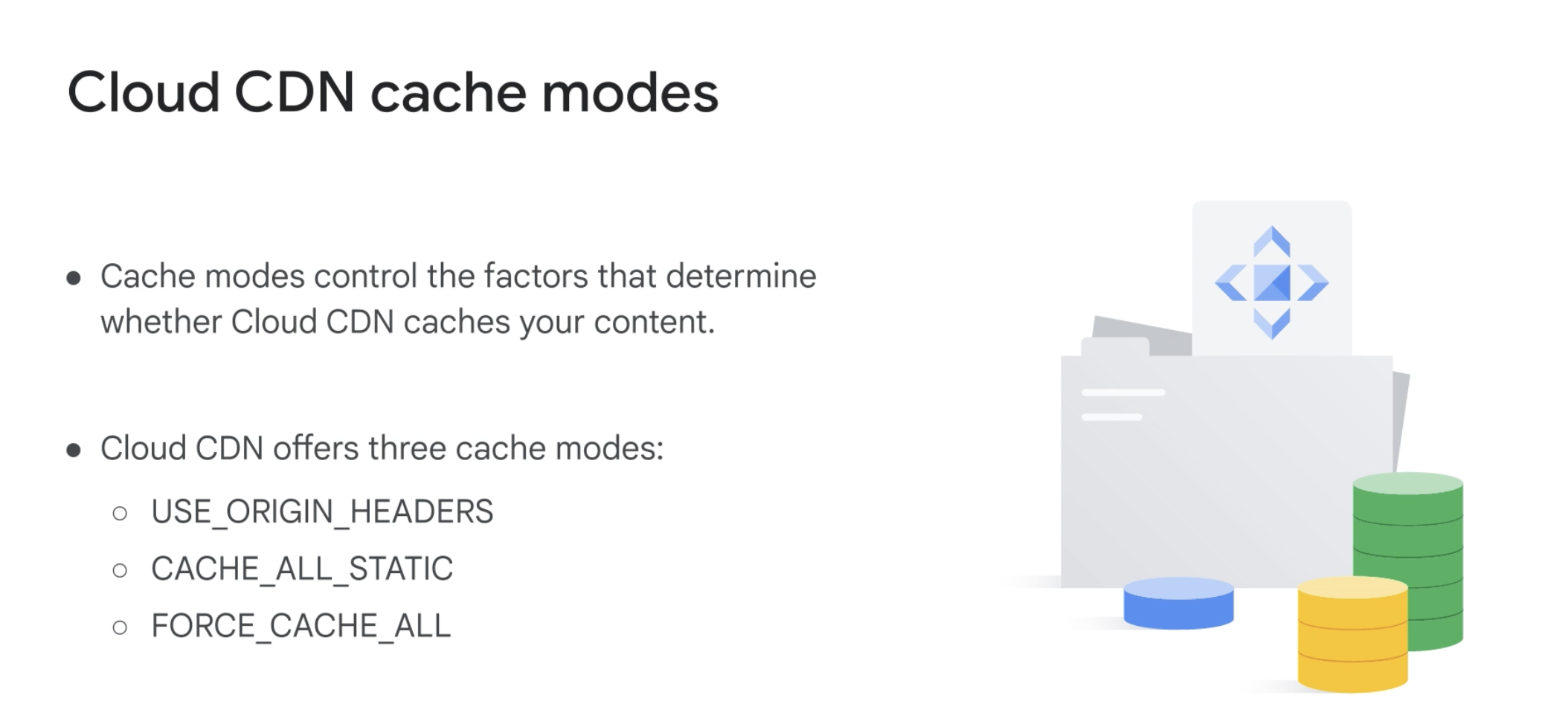
Cache Mode
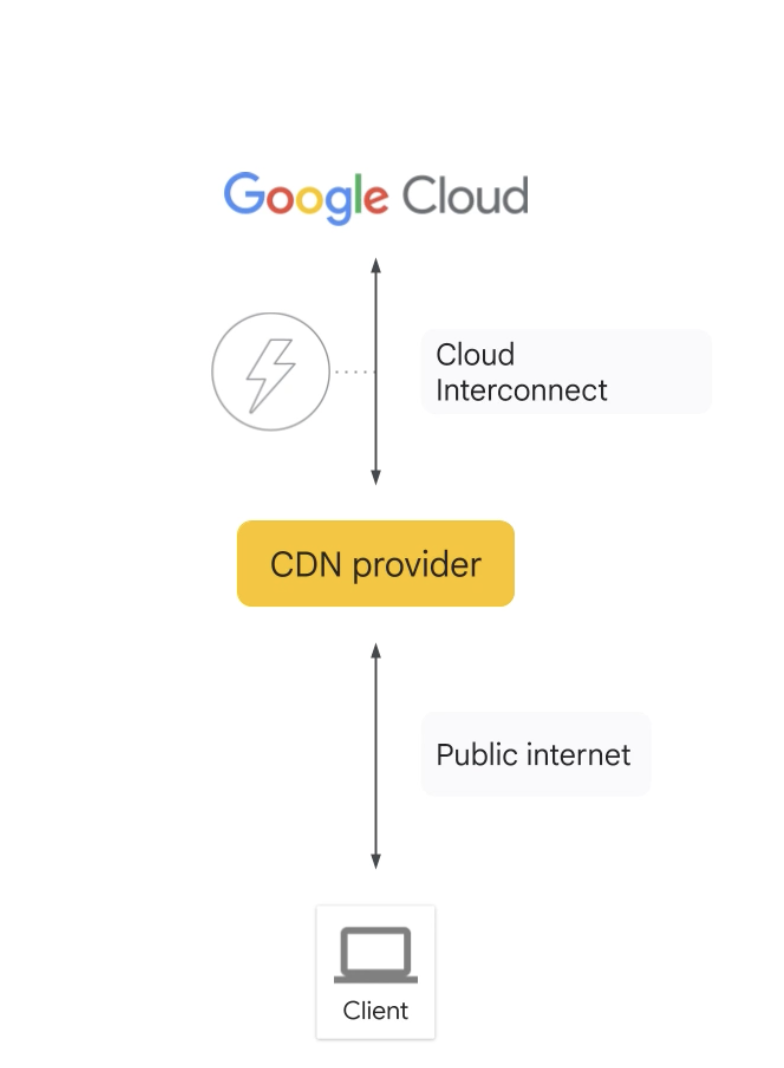
CDN Interconnect
Google Cloud Armor
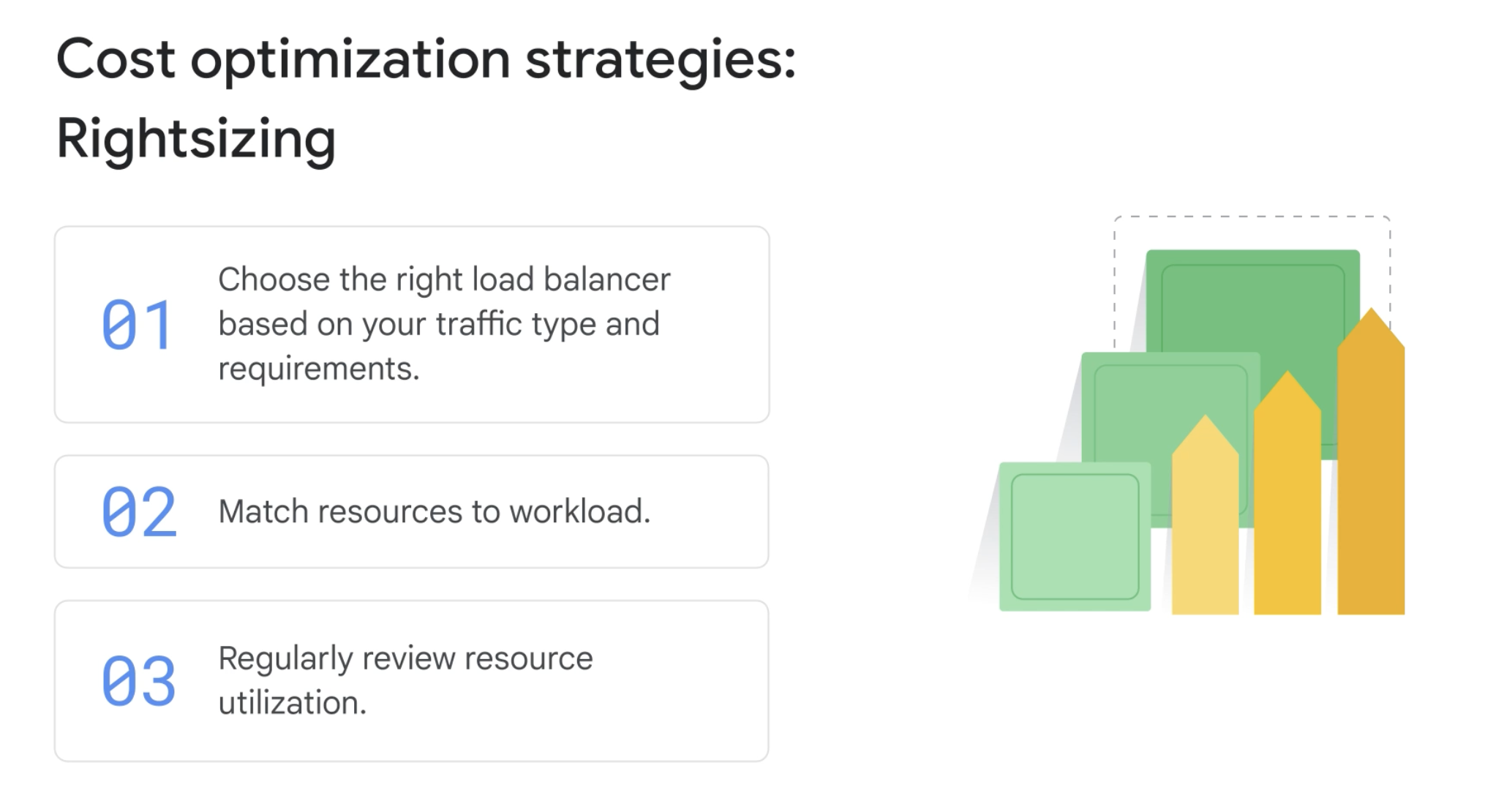
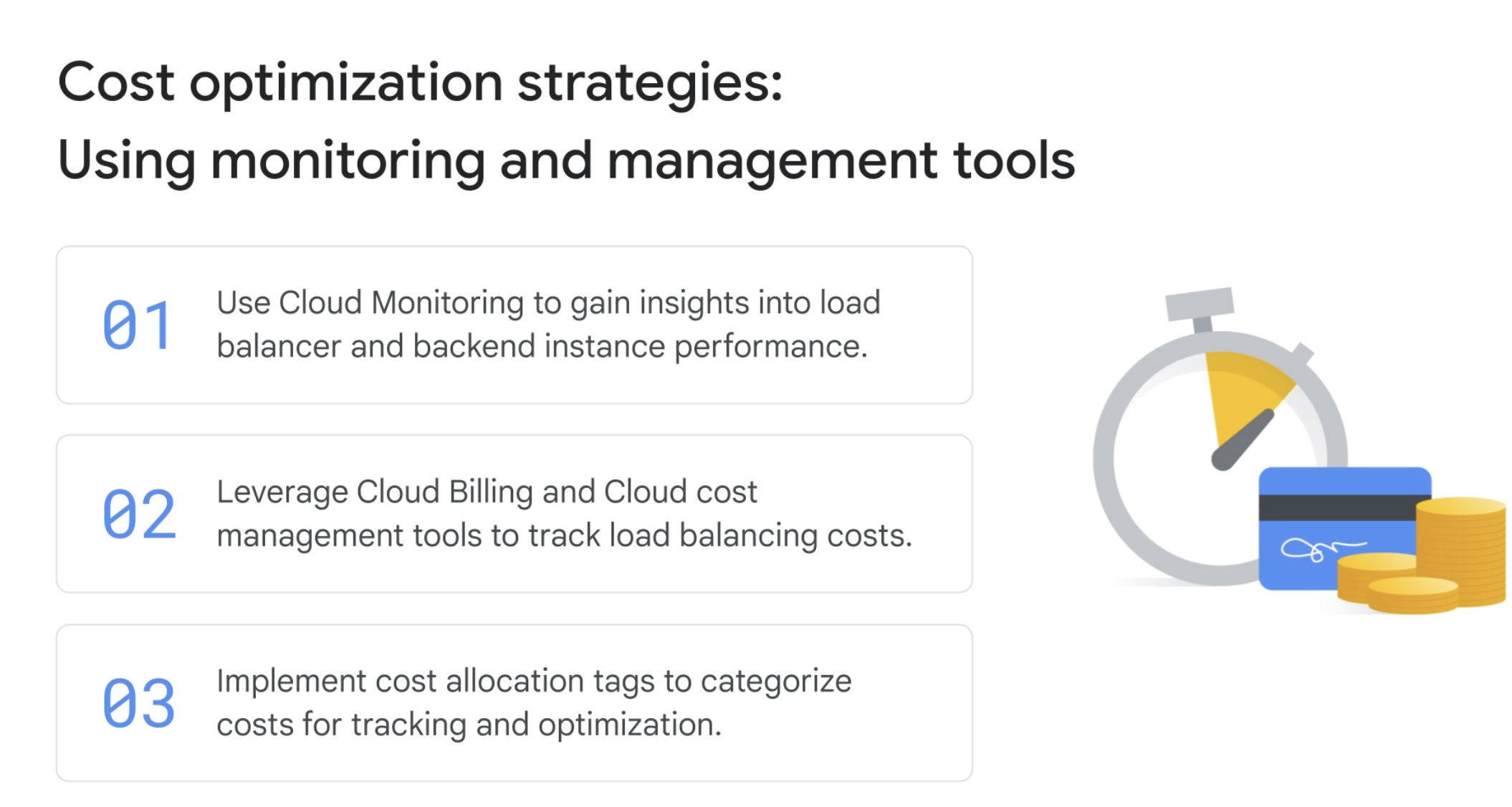
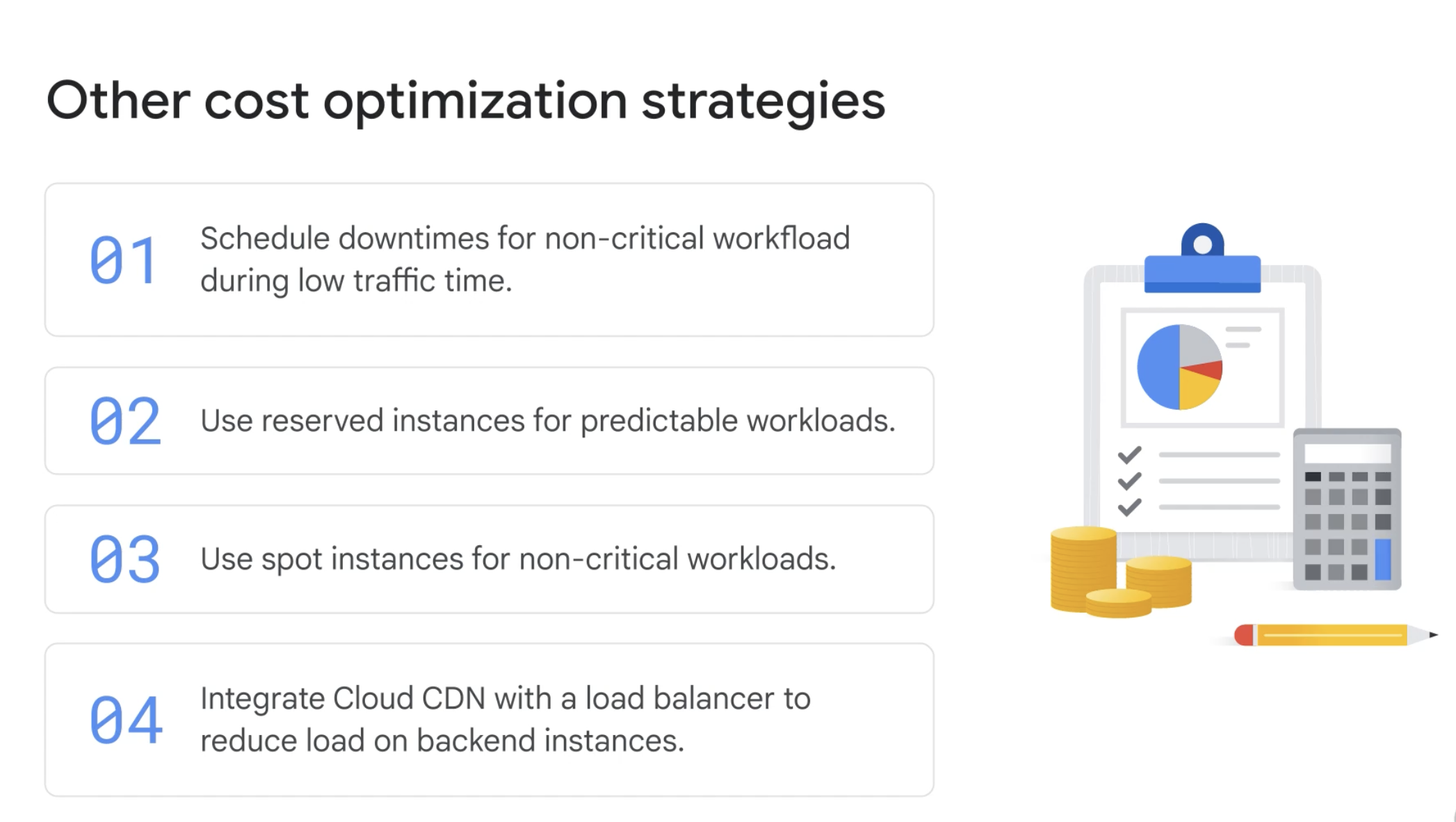
Cost optimized
- Dynamically adjust resources
- Define scaling threshold
- Utilize custom metrics