AWS Networking Deep Dive
VPC
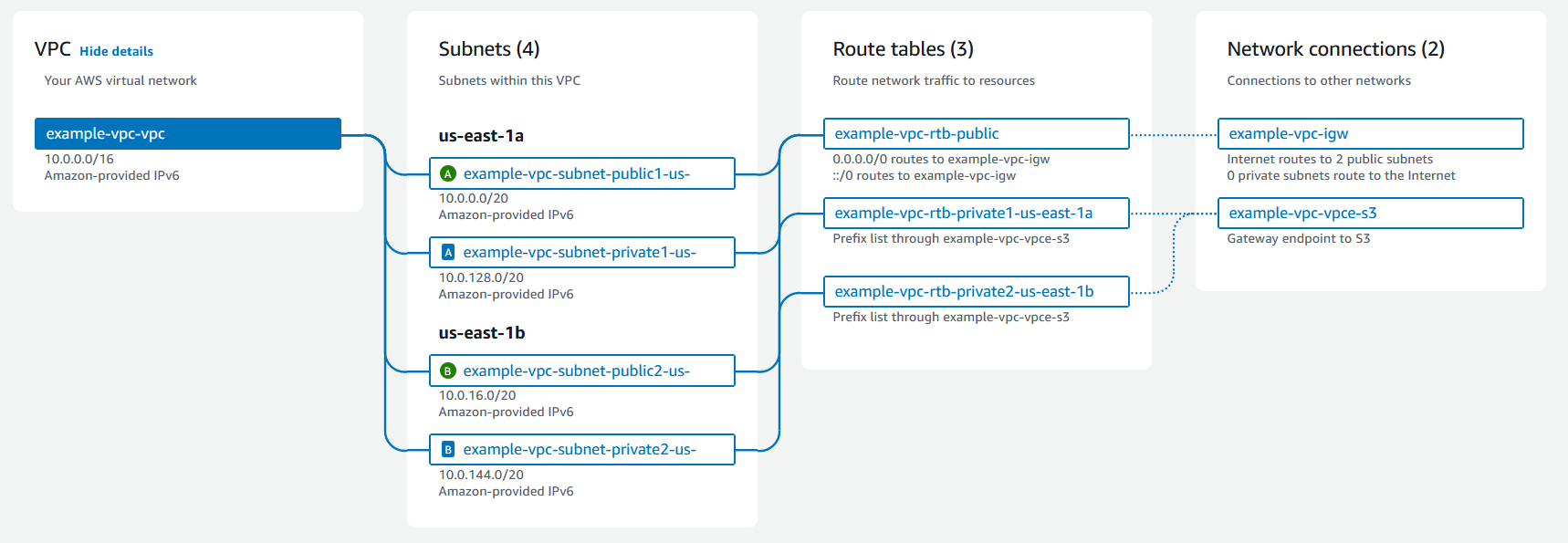
A virtual private cloud (VPC) is a virtual network dedicated to your AWS account. It is logically isolated from other virtual networks in the AWS Cloud. You can specify an IP address range for the VPC, add subnets, add gateways, and associate security groups.
A subnet is a range of IP addresses in your VPC. You launch AWS resources, such as Amazon EC2 instances, into your subnets. You can connect a subnet to the internet, other VPCs, and your own data centers, and route traffic to and from your subnets using route tables.
Hands-on
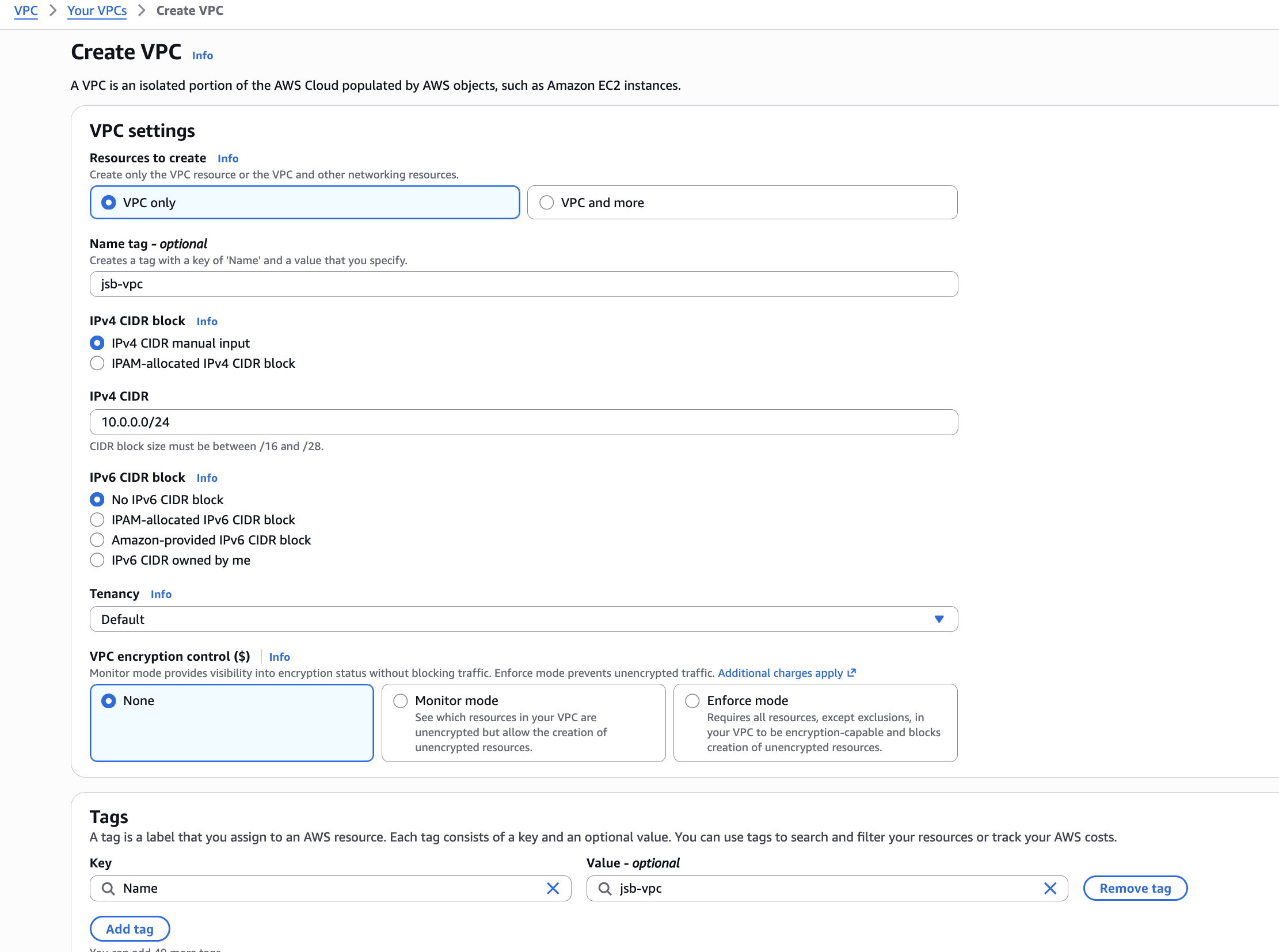
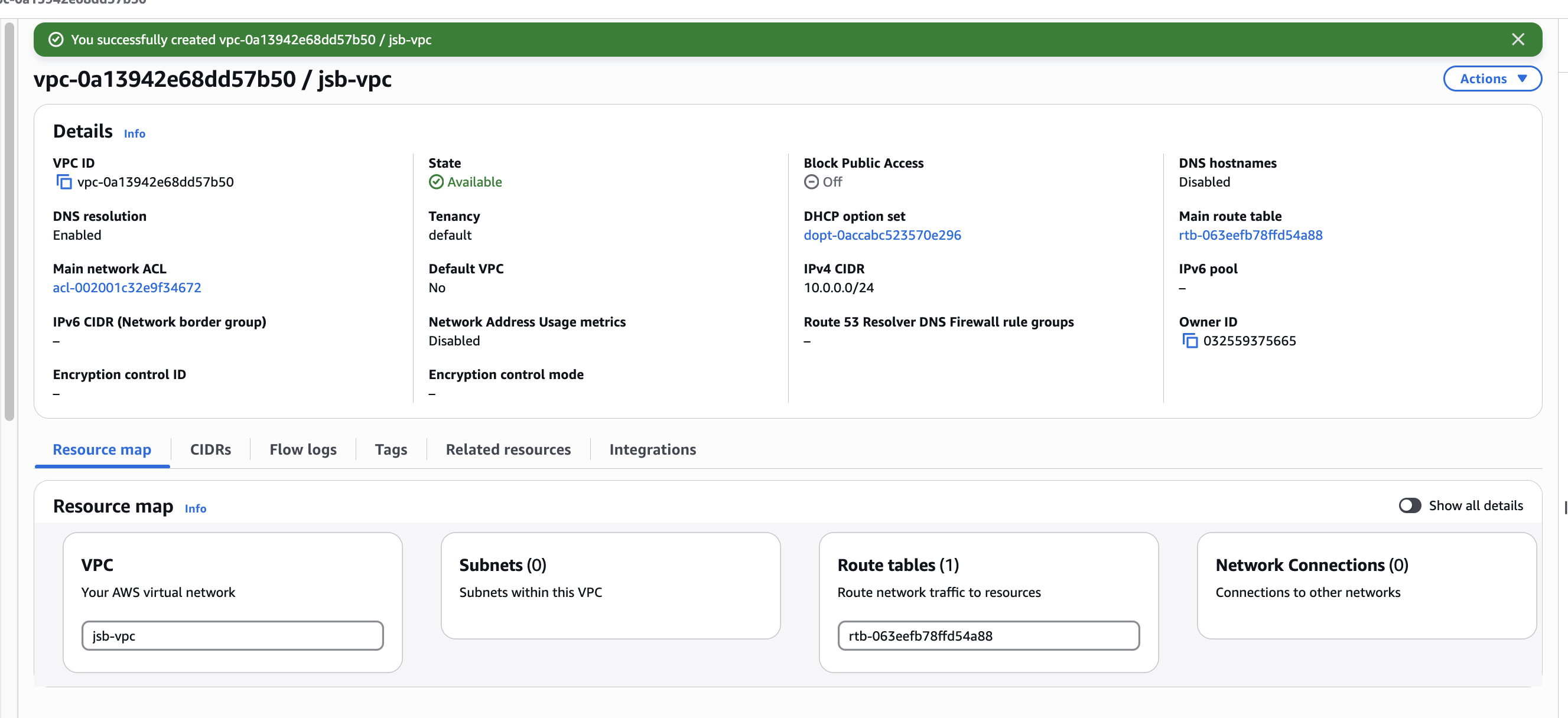
Create VPC
Create subnets
- jsb-subnet-public: 10.0.0.0/28
- jsb-subnet-private: 10.0.0.16/28
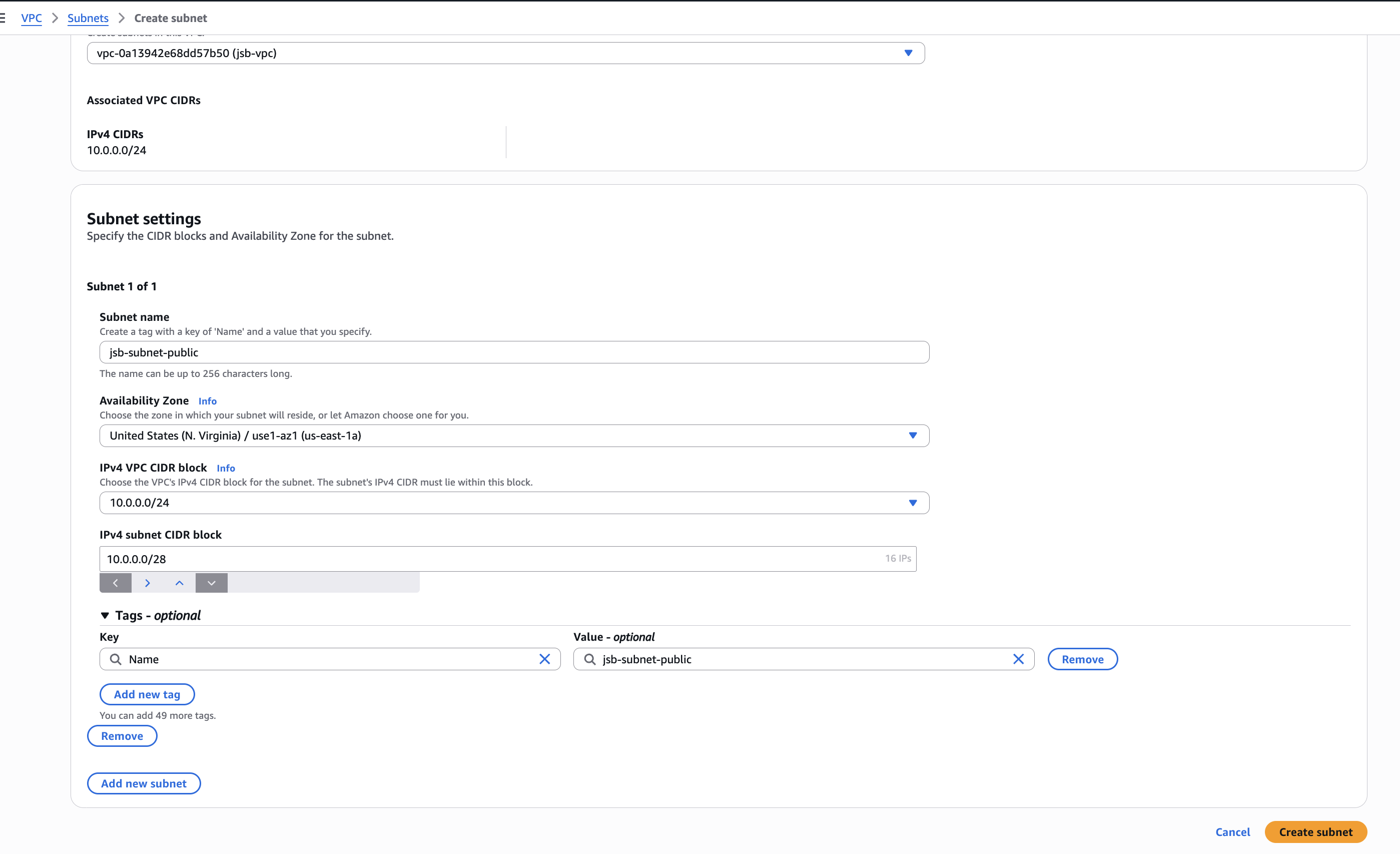
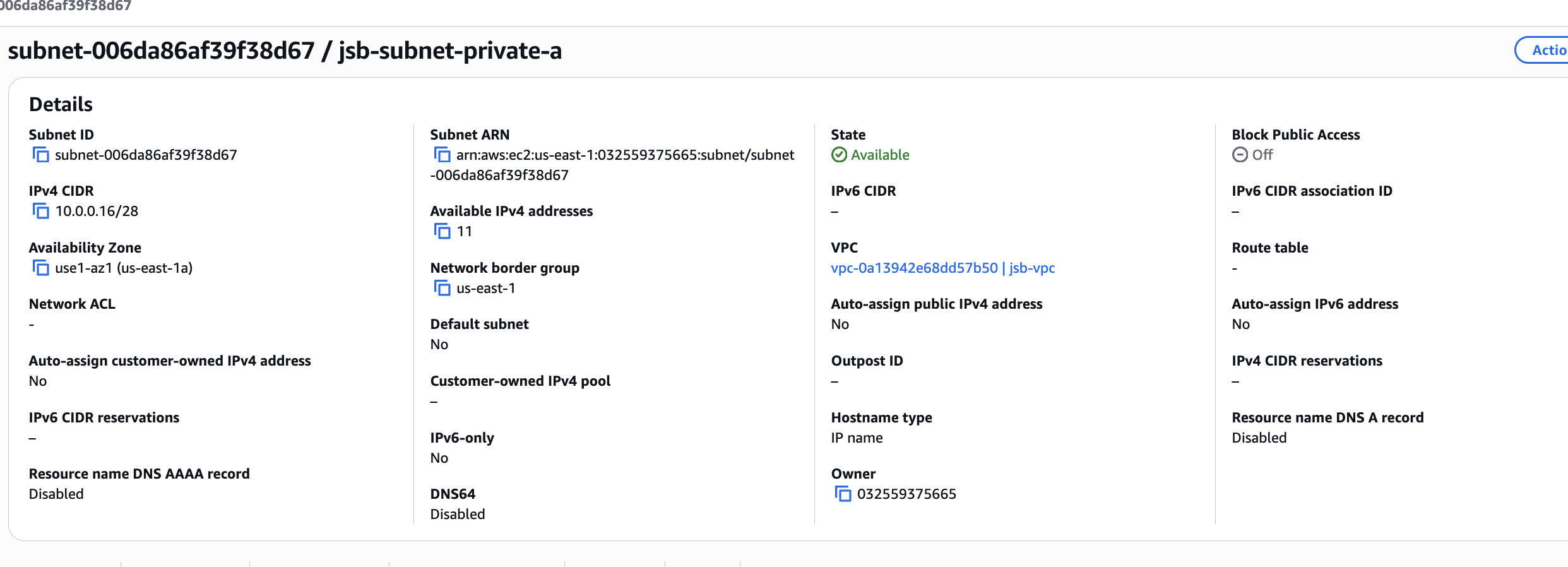
Note: In every subnet, AWS reserves the first five IP addresses (network, VPC router, DNS, reserved, and broadcast). Therefore, the number of usable IP addresses depends on the subnet size.
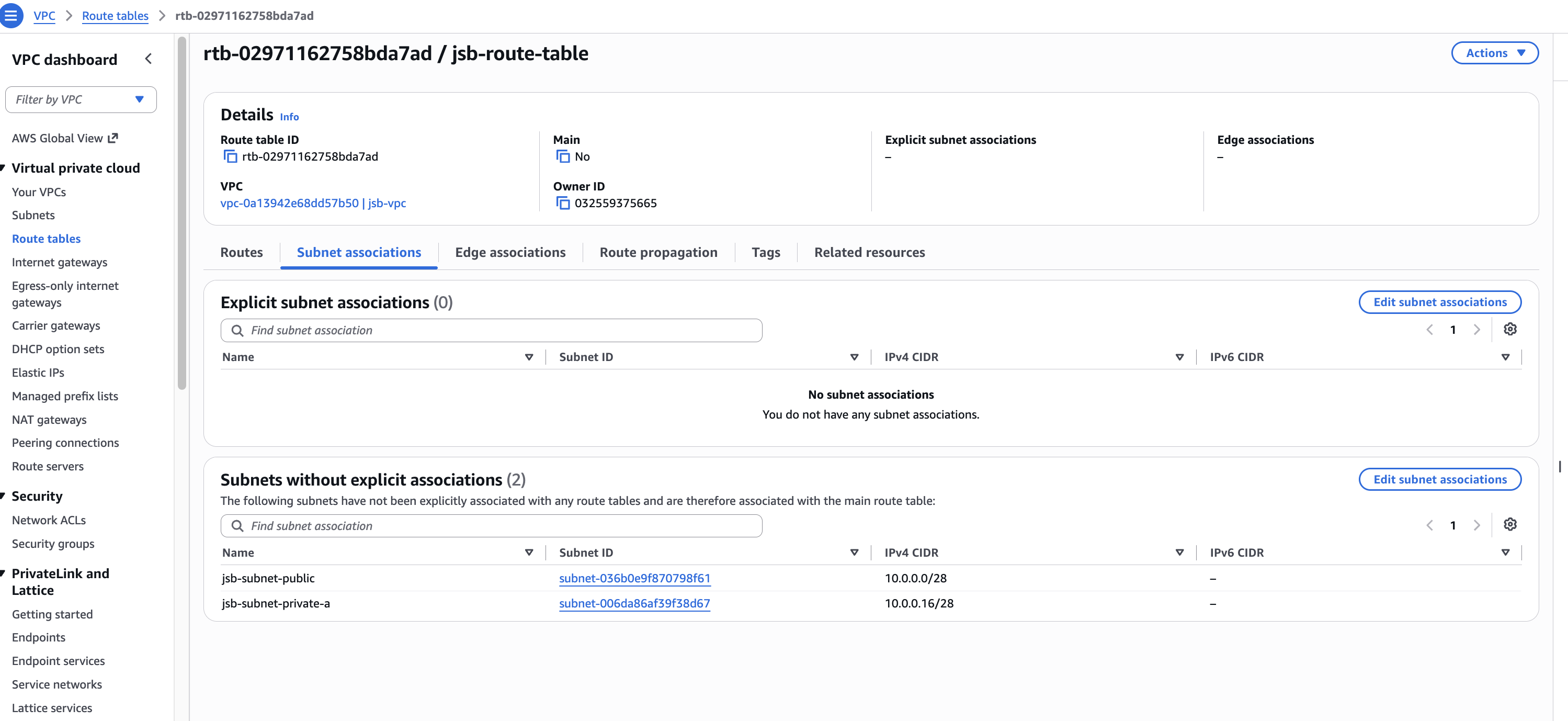
Create route tables
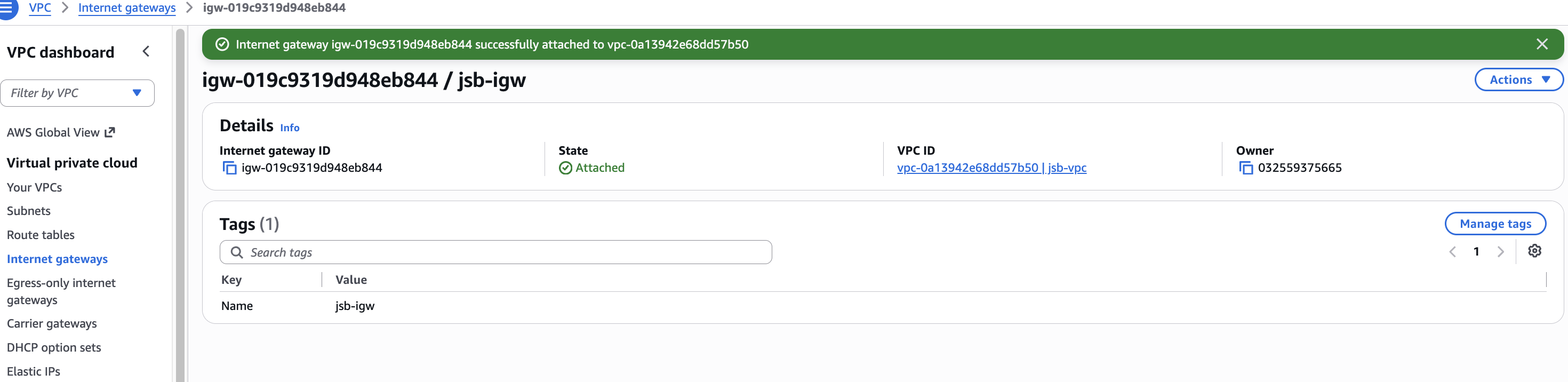
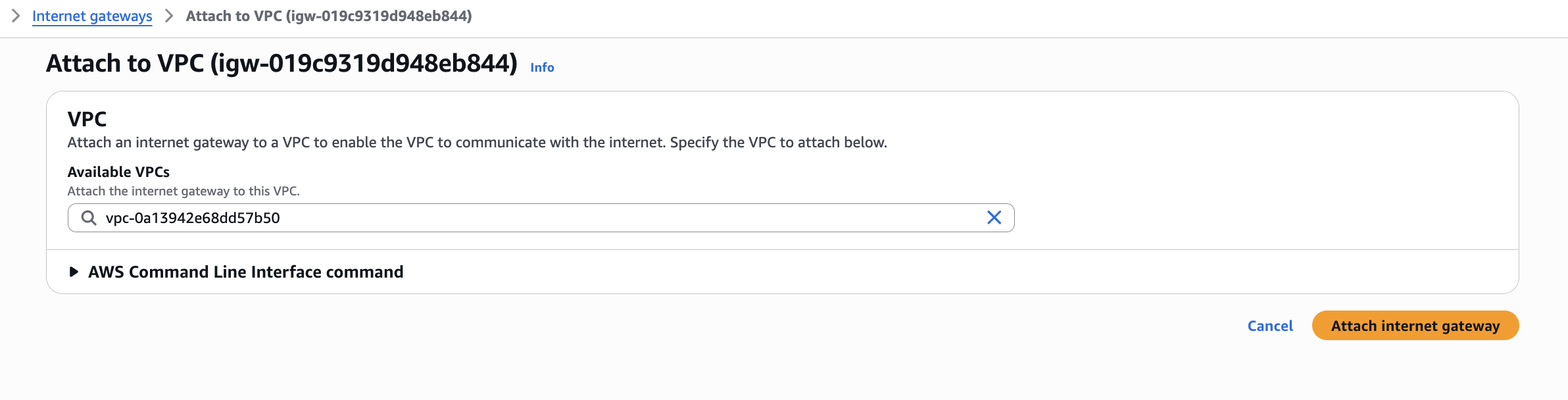
Create internet gateway and attach to VPC
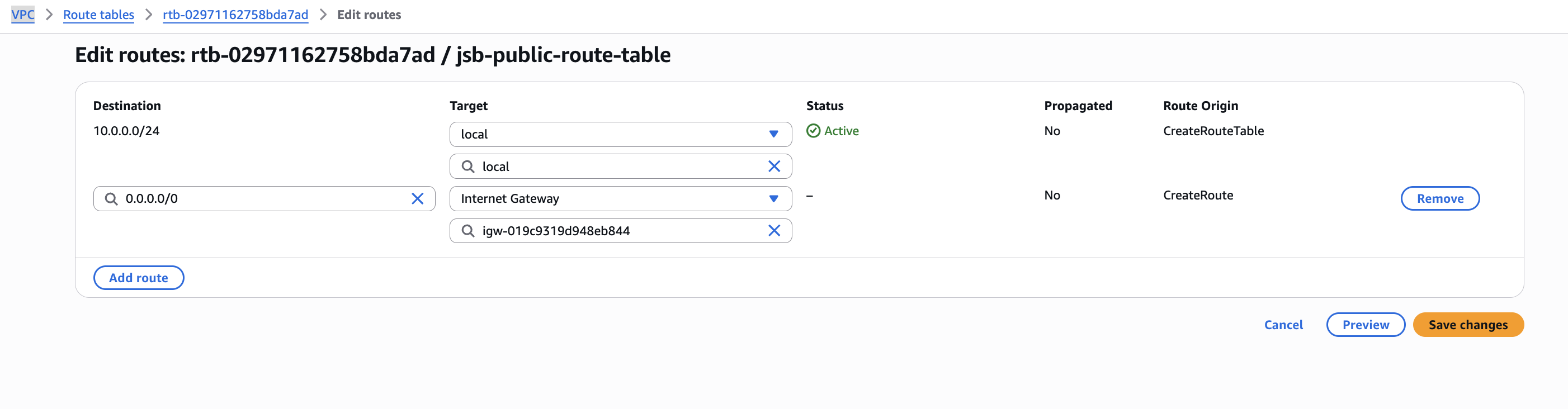
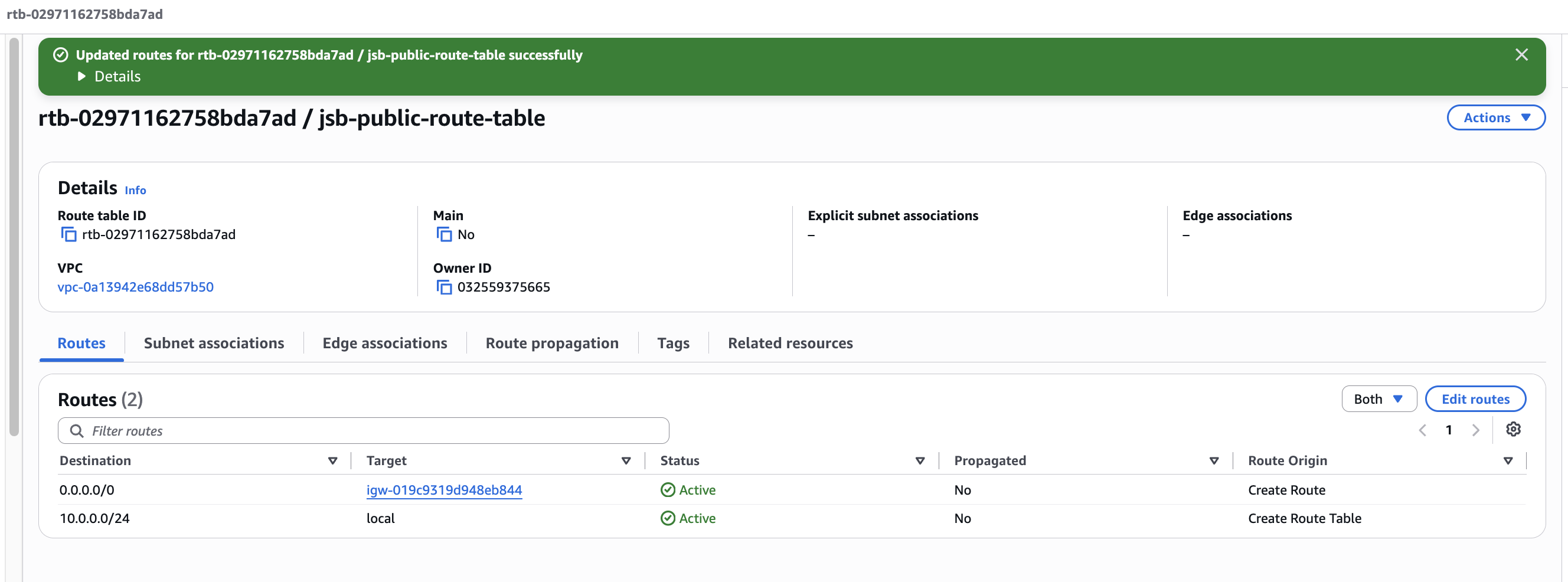
Add public to internet route to route table
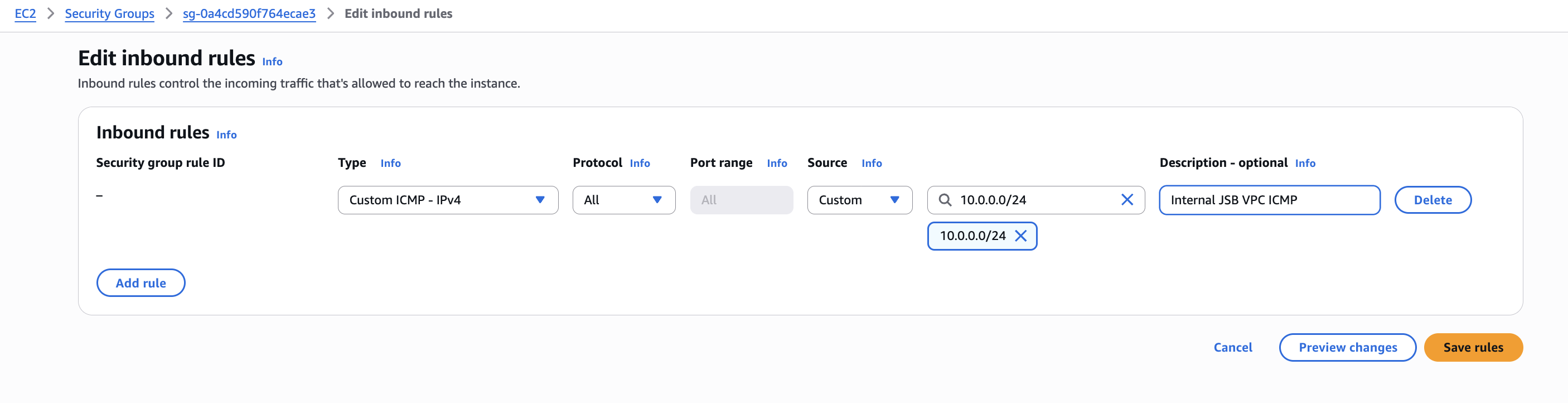
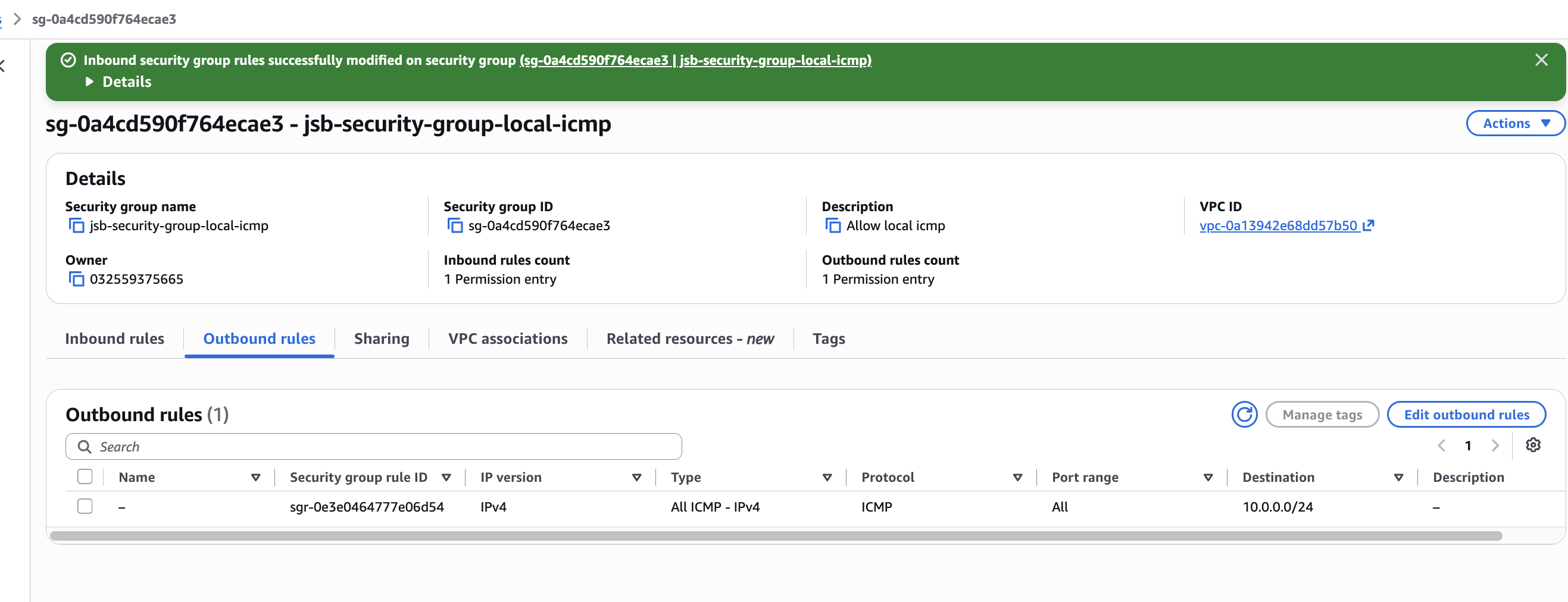
Create security group
Allow inbound
Allow outbound
Create EC2
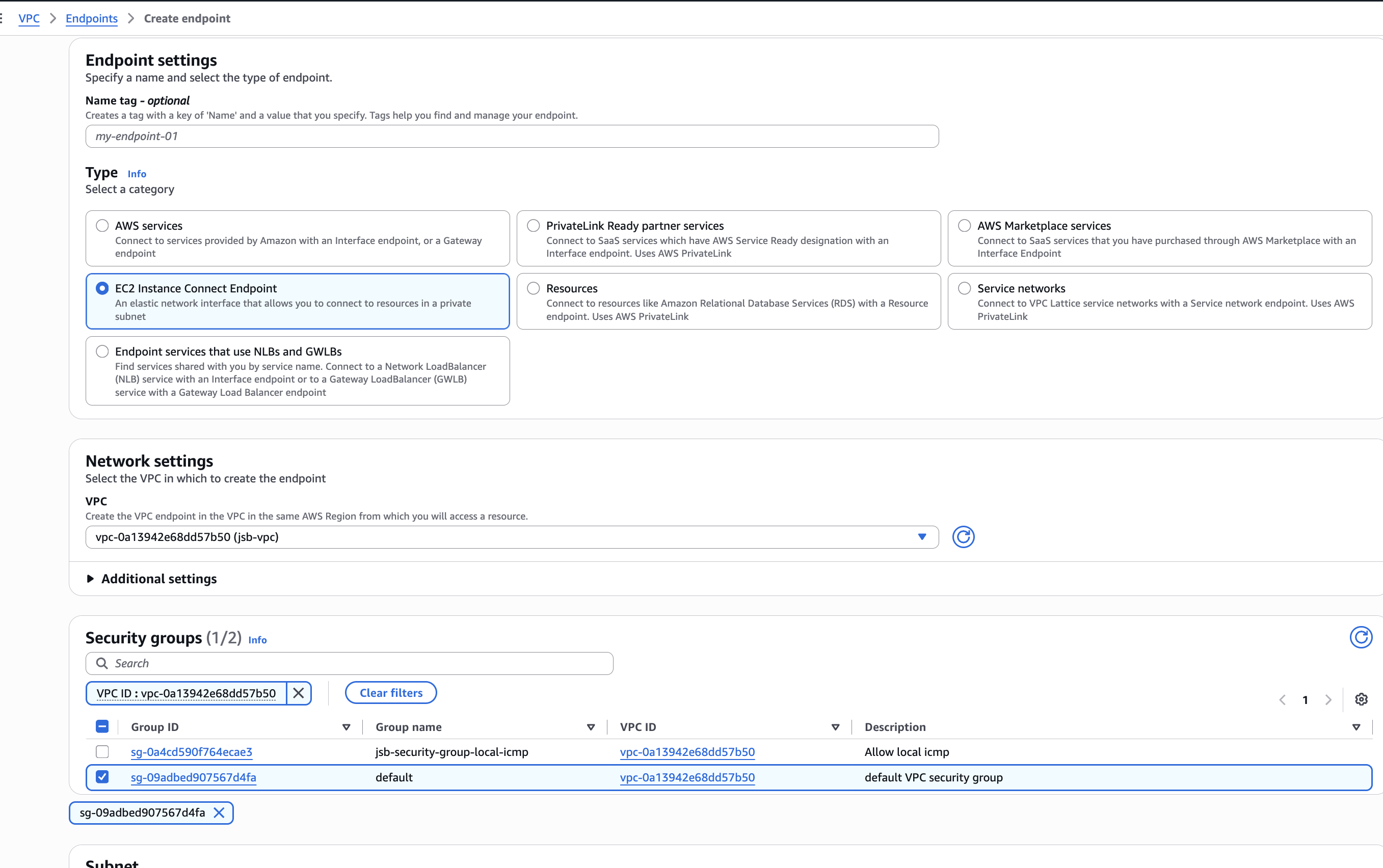
Create EC2 instance connect endpoint
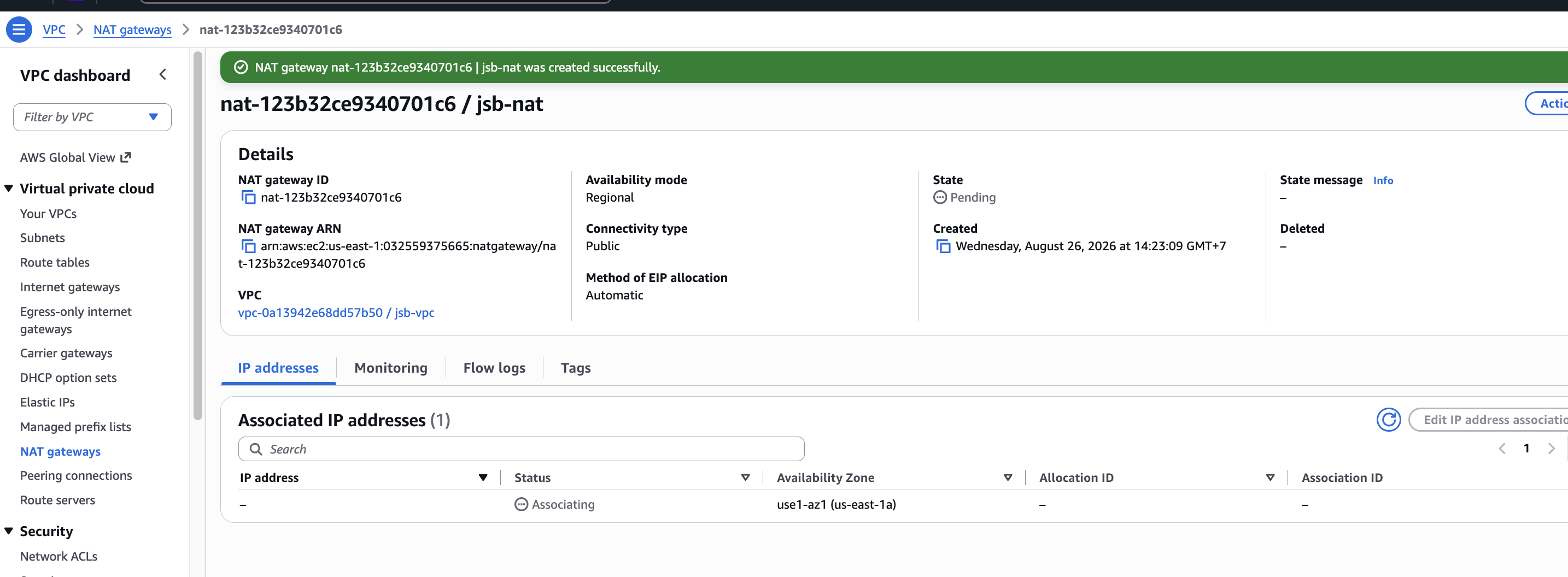
Create NAT Gateway
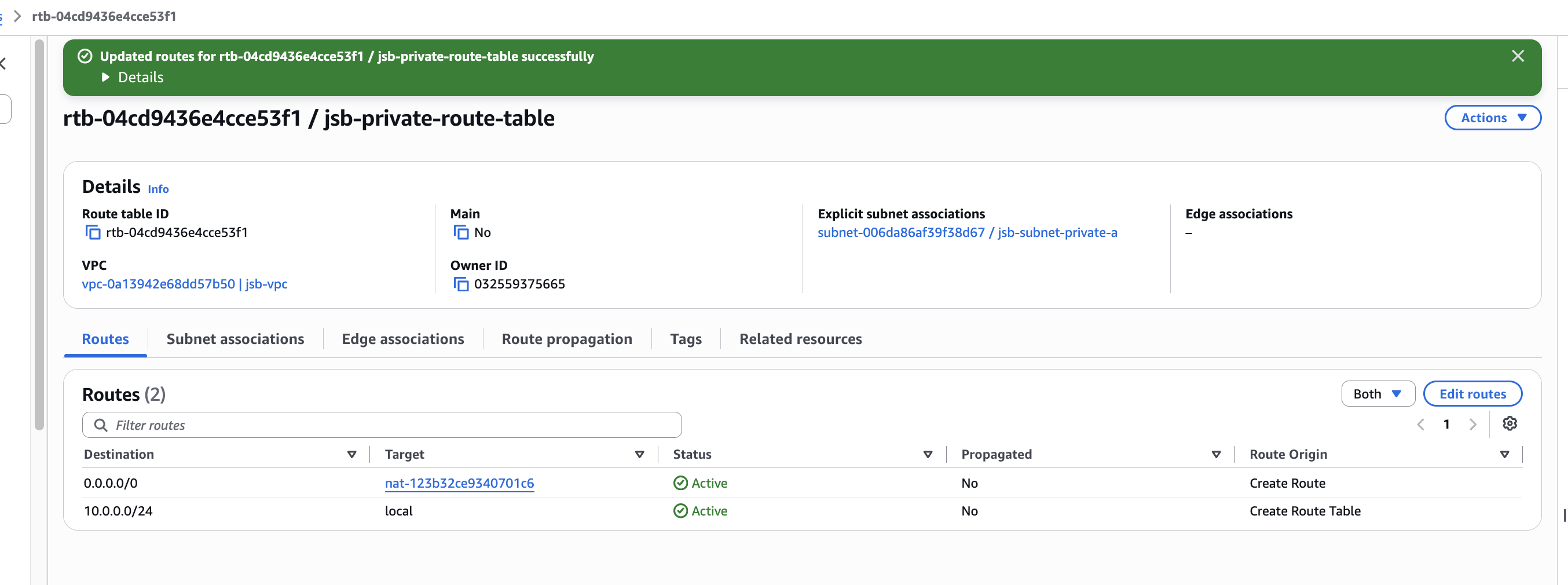
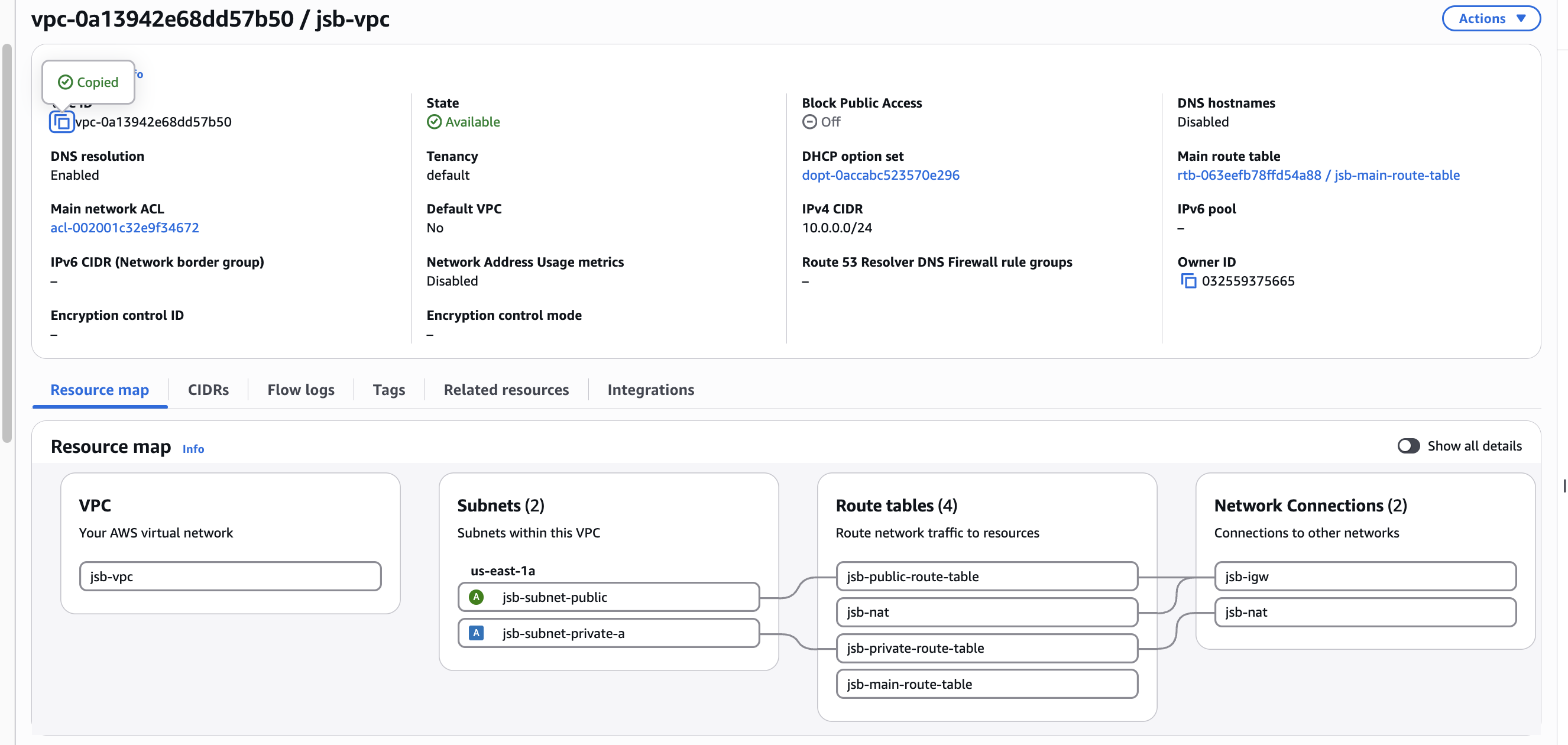
Config Route Table with NAT to access Internet for Private Subnet
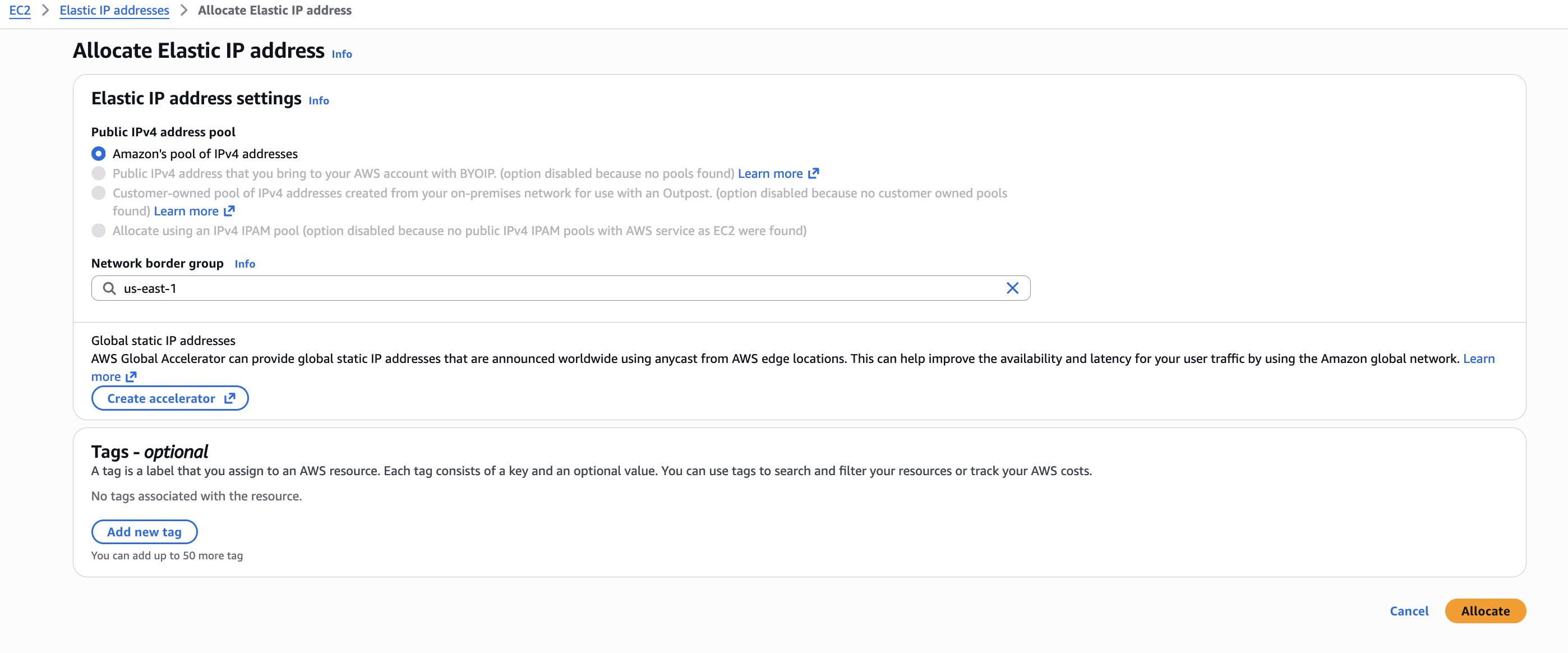
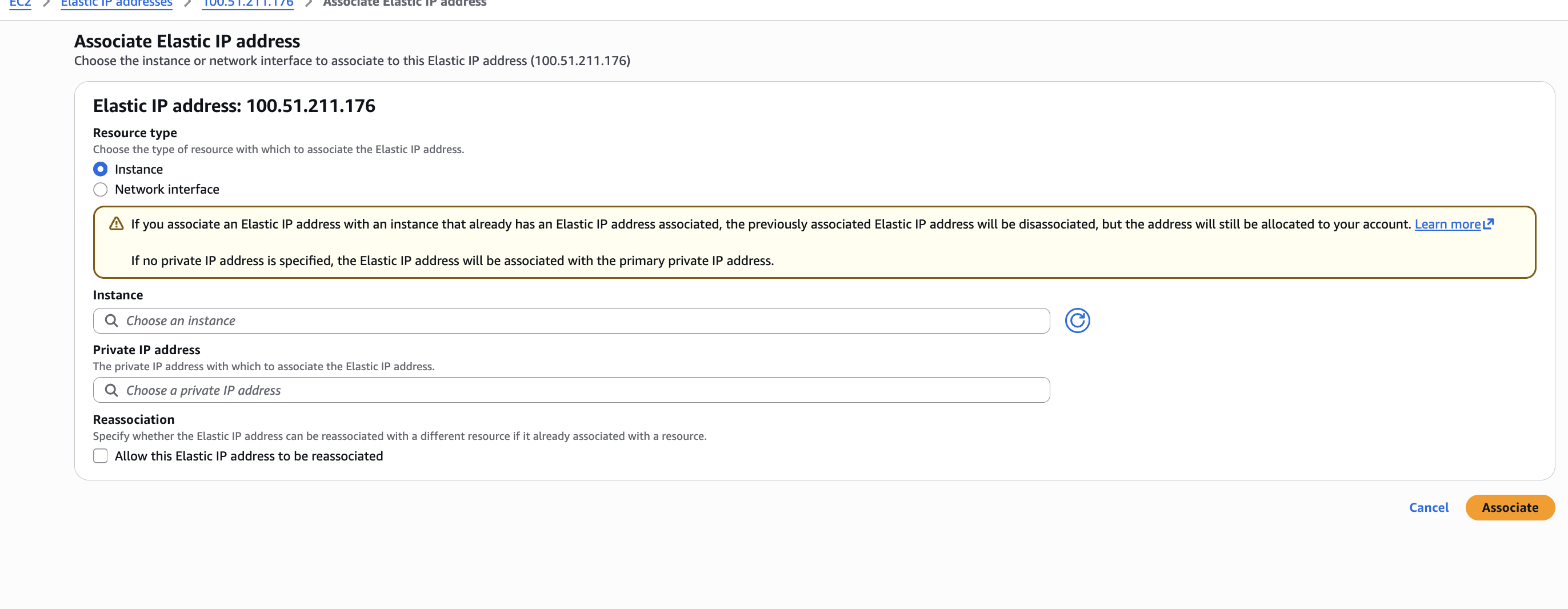
Create new ElasticIp and assign to EC2
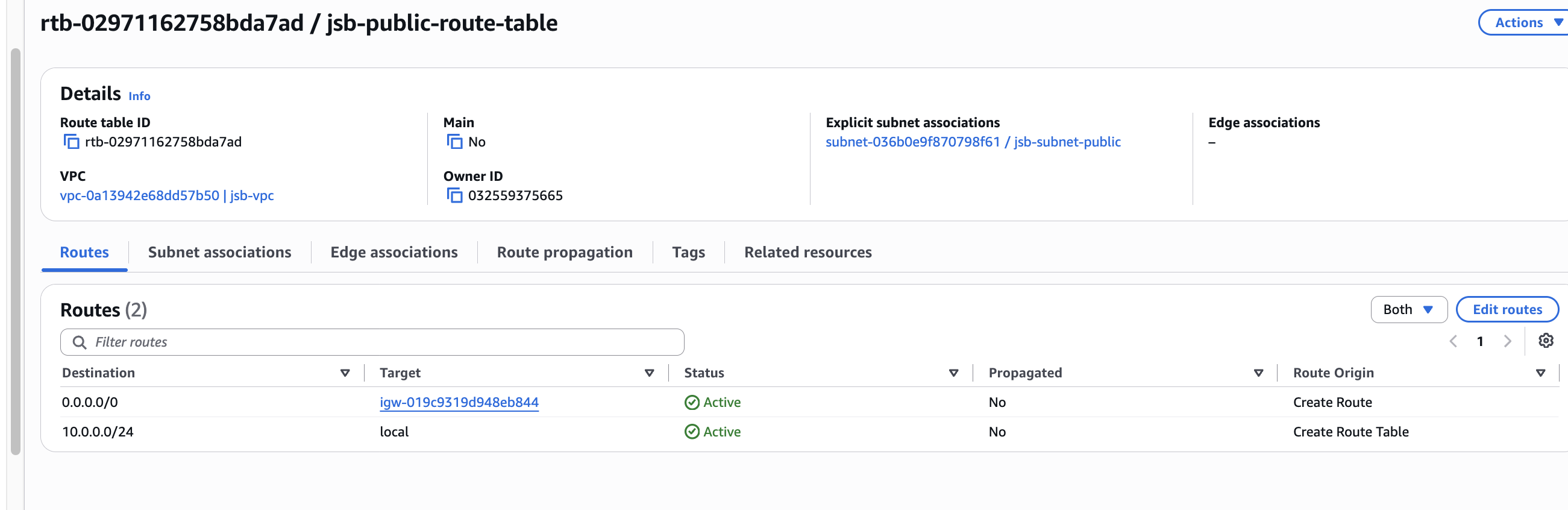
Check public route
Security
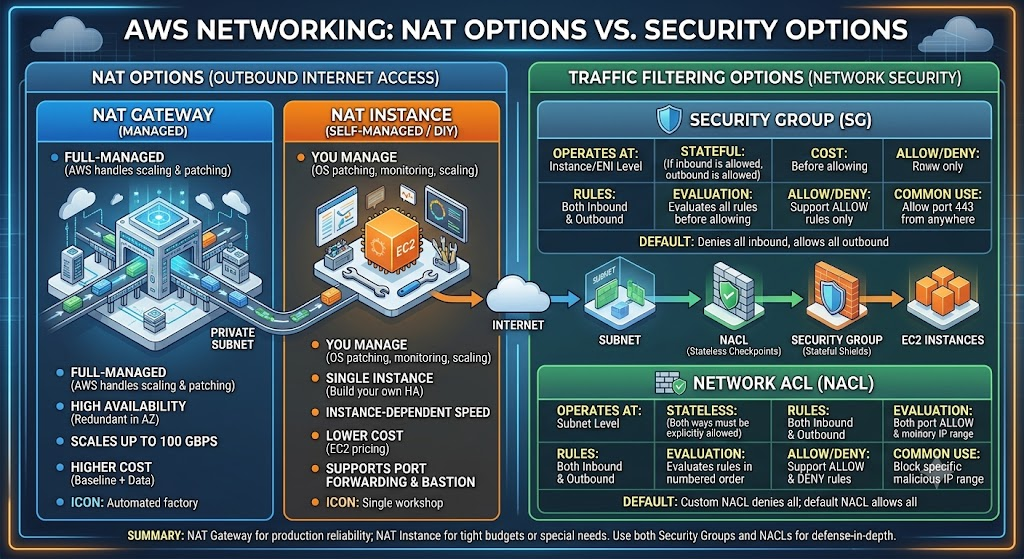
Network ACL vs Security Group
NAT Gateway vs NAT Instance
- Reference: https://oneuptime.com/blog/post/2026-02-12-choose-between-nat-gateway-and-nat-instance/view
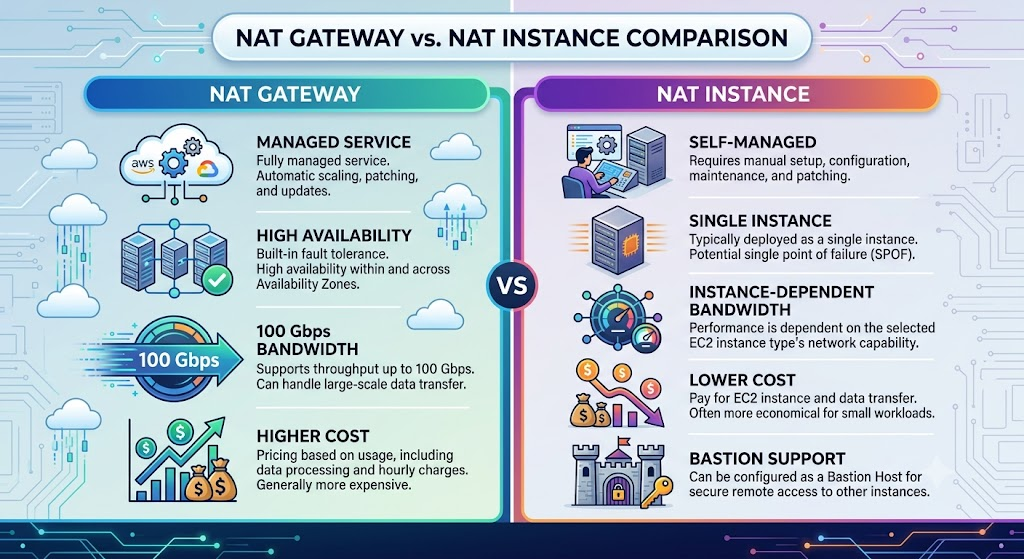
When your private subnet needs outbound internet access, you have two options: a managed NAT gateway or a self-managed NAT instance. They do the same basic job - translate private IPs to public IPs for outbound traffic - but the implementation, cost, performance, and operational burden are wildly different.
Summarize
Tóm tắt: VPC Best Practices & Các trường hợp đặc biệt
- CIDR Block Chọn dư CIDR ngay từ đầu (/16 cho production) — không resize được sau, chỉ có thể thêm Secondary CIDR Dùng dải RFC 1918 (10.0.0.0/8, 172.16.0.0/12, 192.168.0.0/16), tránh trùng CIDR nếu định Peering sau này CIDR to hay nhỏ KHÔNG tính phí khác nhau — VPC CIDR chỉ là address space, phí chỉ phát sinh từ resource thật (EC2, NAT Gateway, EIP) Có công ty lớn nên dùng VPC IPAM để quản lý CIDR tập trung, tránh trùng lặp giữa nhiều VPC/account
- VPC không phụ thuộc AZ VPC = cấp Region, trải toàn bộ các AZ trong region đó Subnet = cấp AZ, mỗi subnet chỉ tồn tại trong đúng 1 AZ Multi-AZ = tạo nhiều subnet cùng loại ở nhiều AZ, vẫn chung 1 VPC (không phải tạo nhiều VPC)
- Route Table — nên tách nhiều, theo tier 1 route table cho mỗi tier (Public / Private / DB), không dùng chung 1 bảng Không đụng vào Main Route Table — để nó chỉ có local, tránh subnet bị lọt vào Main ngoài ý muốn Production HA: 1 NAT Gateway + 1 route table riêng mỗi AZ — tránh NAT Gateway là single point of failure
- Internet ra ngoài — 2 cơ chế Public Subnet Private Subnet Cần gì EC2 phải có Public/Elastic IP NAT Gateway (có EIP riêng, đặt ở Public Subnet) Cơ chế IGW làm NAT 1:1 NAT Gateway làm Source NAT (nhiều IP private dùng chung 1 Public IP)
- Trường hợp đặc biệt: Kết nối 2 VPC VPC Peering: 2 VPC, CIDR không trùng, không transitive, phải tự cấu hình Route Table + Security Group + DNS (Route 53 Private Hosted Zone nếu dùng domain nội bộ) Transit Gateway: từ 3 VPC trở lên, transitive routing, tránh full-mesh phức tạp Cross-region Peering: dùng cho DR, compliance data residency, M&A integration — nhưng latency cao hơn, data transfer đắt hơn, DNS resolution phải bật thủ công
- Nguyên tắc quan trọng nhất: Tách biệt 2 loại traffic Loại traffic Công cụ đúng Con người truy cập (SSH, RDP, admin dashboard) AWS Systems Manager Session Manager / Client VPN — không dùng Peering + Bastion truyền thống Service-to-service (ứng dụng gọi ứng dụng, DB replication, data pipeline) VPC Peering / Transit Gateway
→ Đây là ranh giới hay bị nhầm nhất: Peering chỉ nên dùng cho traffic ứng dụng tự động hóa, không phải cho việc admin SSH vào server.
- Kubernetes/EKS không thay đổi nguyên tắc trên VPC CNI cấp Pod IP thật trong VPC CIDR — Pod gọi Pod khác VPC vẫn cần Peering + Route Table + Security Group/Network Policy y hệt EC2 CoreDNS chỉ tự động resolve trong 1 cluster, cross-cluster vẫn cần Route 53 Private Hosted Zone thủ công K8s network xây trên nền VPC network, không thay thế nó